> ## Documentation Index
> Fetch the complete documentation index at: https://docs.adopt.ai/llms.txt
> Use this file to discover all available pages before exploring further.
# Create a Workstream
> How to create the client / isolation boundary that everything else hangs off, and how to provision many at once.
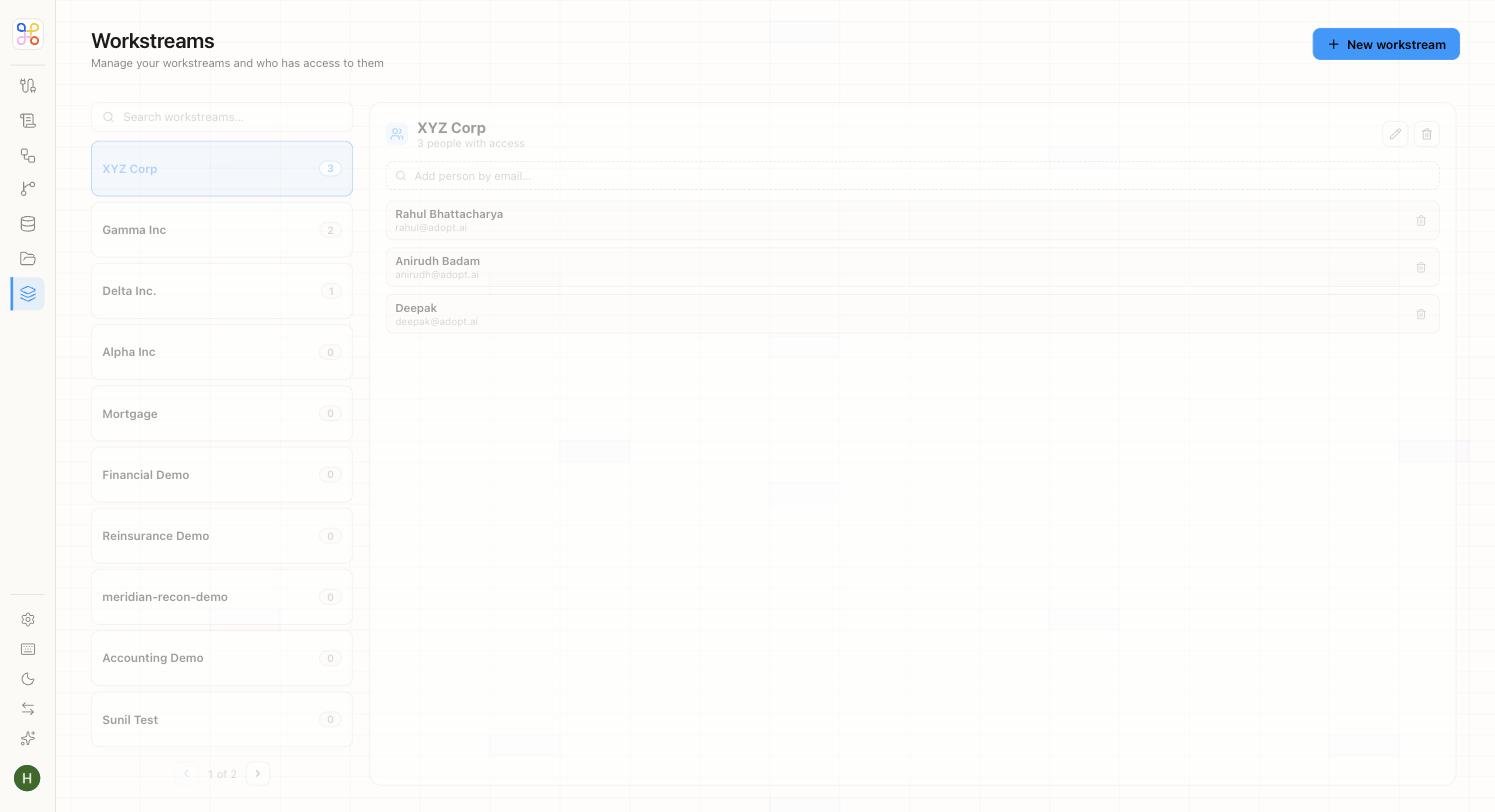
A Workstream is one client and the isolation boundary for their data. It's the first thing you create — everything else hangs off it.
 ## Create one
1. Go to **Workstreams** and choose to add a new one.
2. Give it a **name** — usually the client's name (e.g. "Acme Manufacturing").
3. Save.
A member with access to this workstream can never see another workstream's data — so the name and the boundary matter. Name it for the client it represents.
## Provisioning many
You won't hand-create hundreds of clients. In production, **bulk-provision** workstreams via CSV import or the API. Create one or two by hand to design the process, then bulk-load the rest.
## Add an engagement (process)
A workstream on its own is just the client boundary. The work happens in an **engagement** — one per process. If the client needs both R\&D Tax Credit and Transfer Pricing, that's two engagements under the same workstream, each with its own agent, files, and reviewers. See [Workstreams and Engagements](/core-concepts/workstreams-and-engagements).
## Who can access it
Access is granted per workstream. Invite the people who should see this client (see [Inviting members and setting access](/builder-guide/inviting-members-and-access)). Everyone else is excluded by default.
## Next steps
1. [Workstreams and Engagements](/core-concepts/workstreams-and-engagements)
2. [Isolation and multi-tenancy](/security-access/isolation-and-multi-tenancy)
3. [Connecting a data source](/builder-guide/connecting-a-source)
## Create one
1. Go to **Workstreams** and choose to add a new one.
2. Give it a **name** — usually the client's name (e.g. "Acme Manufacturing").
3. Save.
A member with access to this workstream can never see another workstream's data — so the name and the boundary matter. Name it for the client it represents.
## Provisioning many
You won't hand-create hundreds of clients. In production, **bulk-provision** workstreams via CSV import or the API. Create one or two by hand to design the process, then bulk-load the rest.
## Add an engagement (process)
A workstream on its own is just the client boundary. The work happens in an **engagement** — one per process. If the client needs both R\&D Tax Credit and Transfer Pricing, that's two engagements under the same workstream, each with its own agent, files, and reviewers. See [Workstreams and Engagements](/core-concepts/workstreams-and-engagements).
## Who can access it
Access is granted per workstream. Invite the people who should see this client (see [Inviting members and setting access](/builder-guide/inviting-members-and-access)). Everyone else is excluded by default.
## Next steps
1. [Workstreams and Engagements](/core-concepts/workstreams-and-engagements)
2. [Isolation and multi-tenancy](/security-access/isolation-and-multi-tenancy)
3. [Connecting a data source](/builder-guide/connecting-a-source)