> ## Documentation Index
> Fetch the complete documentation index at: https://docs.adopt.ai/llms.txt
> Use this file to discover all available pages before exploring further.
# Instructions and skills
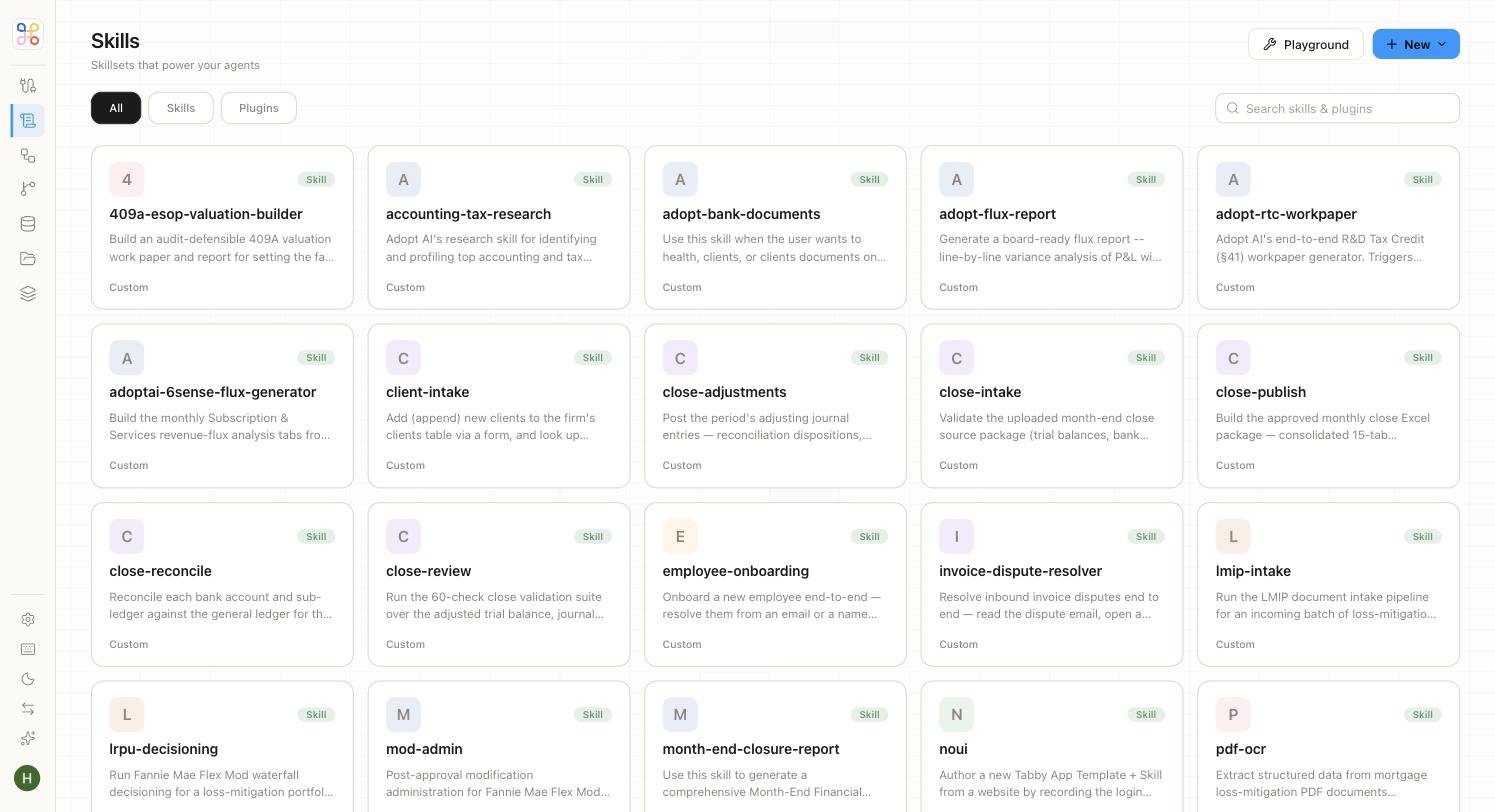
> How to tell an agent how to work (instructions) and what it's allowed to do (skills), and the crucial difference between a skill and access.
This is where an agent gets its behavior. Two parts: **instructions** (the how) and **skills** (the what).
 ## Instructions
Instructions are plain-language direction for the agent. Write them the way you'd brief a capable preparer. For example:
> "You are an R\&D tax specialist. For each client, review payroll and project documentation, identify qualifying activities, and draft the credit calculation with citations."
Good instructions are specific about the output you want (a cited draft, a summary memo, a particular format) and any standards to follow.
## Skills
Skills are the capabilities the agent may use. Turn on only what the work needs.
| Skill | What it does | Typical tag |
| ---------------------- | ------------------------------- | ----------- |
| **Read documents** | Search and cite Doc Store files | `DEFAULT` |
| **Query Data Store** | Read structured tables | `DEFAULT` |
| **Generate workpaper** | Produce a cited workpaper | `ORG` |
| **Web search** | Look up public guidance | `DEFAULT` |
| **Tax Forms** | Fill and validate IRS forms | `ORG` |
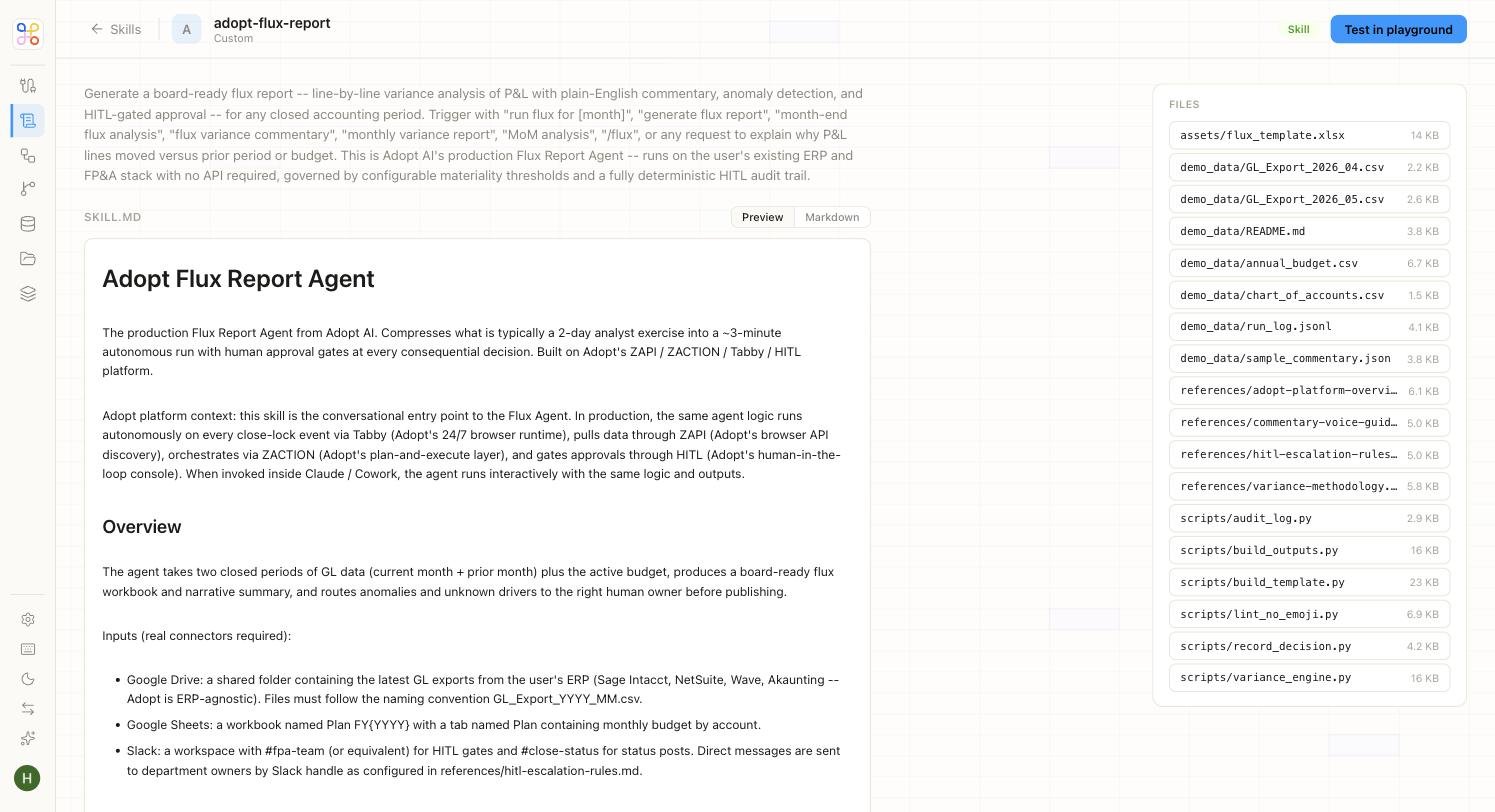
Tags indicate origin — `DEFAULT` skills are broadly available; `ORG` skills are specific to your organization. Open a skill to see its instruction and the files packaged with it.
## Instructions
Instructions are plain-language direction for the agent. Write them the way you'd brief a capable preparer. For example:
> "You are an R\&D tax specialist. For each client, review payroll and project documentation, identify qualifying activities, and draft the credit calculation with citations."
Good instructions are specific about the output you want (a cited draft, a summary memo, a particular format) and any standards to follow.
## Skills
Skills are the capabilities the agent may use. Turn on only what the work needs.
| Skill | What it does | Typical tag |
| ---------------------- | ------------------------------- | ----------- |
| **Read documents** | Search and cite Doc Store files | `DEFAULT` |
| **Query Data Store** | Read structured tables | `DEFAULT` |
| **Generate workpaper** | Produce a cited workpaper | `ORG` |
| **Web search** | Look up public guidance | `DEFAULT` |
| **Tax Forms** | Fill and validate IRS forms | `ORG` |
Tags indicate origin — `DEFAULT` skills are broadly available; `ORG` skills are specific to your organization. Open a skill to see its instruction and the files packaged with it.
 ## The key distinction: capability is not access
Enabling a skill lets the agent *use* that capability — it does **not** widen what data the agent can see. "Read documents" lets the agent read the documents it has been granted access to, nothing more. Data access is controlled separately (see [Setting Doc Store access](/builder-guide/doc-store-access) and [Access scoping](/security-access/access-scoping)).
Holding these two ideas apart is the most important thing on this page: **skills = what it can do; access = what it can see.**
## Quick vs Advanced
On the Quick path, the task template picks the instructions and skills for a standard process — you can tweak the instruction text but don't manage the skill list. On Advanced, you write instructions and select skills yourself.
## Next steps
1. [Agents, Spaces, and Skills](/core-concepts/agents-spaces-skills)
2. [Setting Doc Store access](/builder-guide/doc-store-access)
3. [Skills vs plugins](/builder-guide/skills-vs-plugins)
## The key distinction: capability is not access
Enabling a skill lets the agent *use* that capability — it does **not** widen what data the agent can see. "Read documents" lets the agent read the documents it has been granted access to, nothing more. Data access is controlled separately (see [Setting Doc Store access](/builder-guide/doc-store-access) and [Access scoping](/security-access/access-scoping)).
Holding these two ideas apart is the most important thing on this page: **skills = what it can do; access = what it can see.**
## Quick vs Advanced
On the Quick path, the task template picks the instructions and skills for a standard process — you can tweak the instruction text but don't manage the skill list. On Advanced, you write instructions and select skills yourself.
## Next steps
1. [Agents, Spaces, and Skills](/core-concepts/agents-spaces-skills)
2. [Setting Doc Store access](/builder-guide/doc-store-access)
3. [Skills vs plugins](/builder-guide/skills-vs-plugins)