> ## Documentation Index
> Fetch the complete documentation index at: https://docs.adopt.ai/llms.txt
> Use this file to discover all available pages before exploring further.
# Connectors and sync
> How data gets into Adopt — the difference between a connector, a sync, and the Doc Store the files land in.
"Connector," "sync," and "Doc Store" are easy to blur together, but they're three distinct things. Getting them straight makes data setup much clearer.
## The three pieces
* **Connector** — the link to a source system (Google Drive, SharePoint, File Upload, Amazon S3). Connecting establishes the credentials and picks what to pull.
* **File Sync** — the process that actually brings files across from the connected source. It can run once or on a schedule, and can include/exclude by pattern.
* **Doc Store** — where the synced files land, so agents can read them.
In one sentence: **a connector links a source, a sync copies its files, and the Doc Store holds them for the agent.**
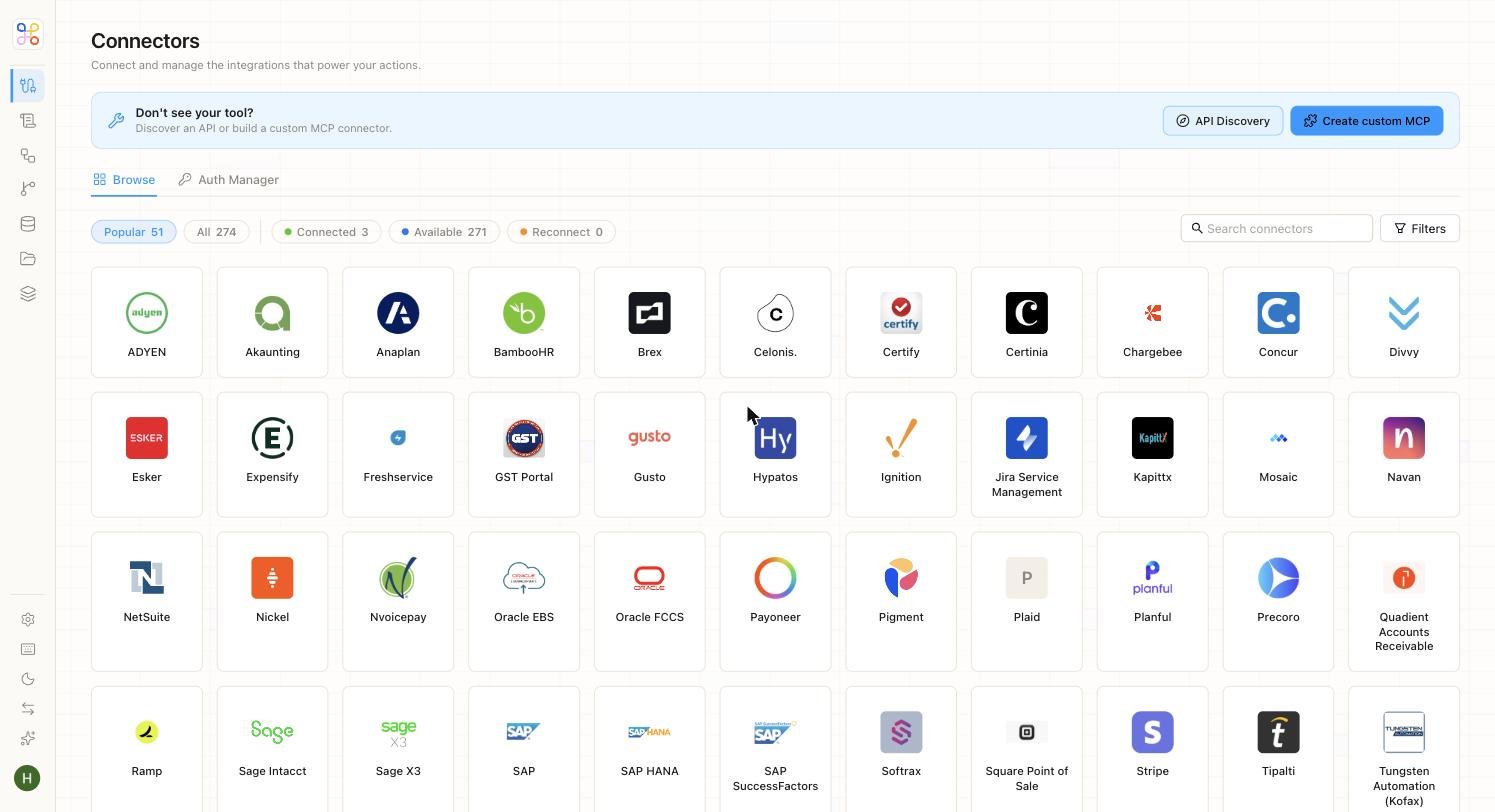 ## Supported connectors
| Connector | Use it for |
| ---------------- | -------------------------------------------------------------- |
| **Google Drive** | Syncing folders of documents |
| **SharePoint** | Connecting a site library (common for on-prem-leaning clients) |
| **File Upload** | Dragging in PDFs and spreadsheets directly |
| **Amazon S3** | Syncing a bucket prefix |
Verify the exact current connector list against the Connectors page in the app — the set expands over time.
## Sync behavior
* A sync can be **one-time** or **scheduled**.
* You can **include or exclude** files by pattern (for example, only `*.xlsx`, or everything except a `/drafts` folder).
* Re-running a sync brings across new and changed files.
## Where this lives in setup
* **Quick setup:** "Add files" collapses connector + sync + Doc Store into a single action. You upload or connect, and it just works.
* **Advanced setup:** these are separate, explicit steps so builders can control the connector, the sync window, and the Doc Store precisely.
## Next steps
1. [Doc Stores and Data Stores](/core-concepts/doc-stores-and-data-stores)
2. [Connecting a data source](/builder-guide/connecting-a-source)
3. [Sync settings and filters](/builder-guide/sync-settings-and-filters)
## Supported connectors
| Connector | Use it for |
| ---------------- | -------------------------------------------------------------- |
| **Google Drive** | Syncing folders of documents |
| **SharePoint** | Connecting a site library (common for on-prem-leaning clients) |
| **File Upload** | Dragging in PDFs and spreadsheets directly |
| **Amazon S3** | Syncing a bucket prefix |
Verify the exact current connector list against the Connectors page in the app — the set expands over time.
## Sync behavior
* A sync can be **one-time** or **scheduled**.
* You can **include or exclude** files by pattern (for example, only `*.xlsx`, or everything except a `/drafts` folder).
* Re-running a sync brings across new and changed files.
## Where this lives in setup
* **Quick setup:** "Add files" collapses connector + sync + Doc Store into a single action. You upload or connect, and it just works.
* **Advanced setup:** these are separate, explicit steps so builders can control the connector, the sync window, and the Doc Store precisely.
## Next steps
1. [Doc Stores and Data Stores](/core-concepts/doc-stores-and-data-stores)
2. [Connecting a data source](/builder-guide/connecting-a-source)
3. [Sync settings and filters](/builder-guide/sync-settings-and-filters)