> ## Documentation Index
> Fetch the complete documentation index at: https://docs.adopt.ai/llms.txt
> Use this file to discover all available pages before exploring further.
# Doc Stores and Data Stores
> The two places an agent gets information from — unstructured files and structured tables — and how each is scoped.
Agents read from two kinds of storage. Knowing the difference helps you decide where a given piece of information belongs.
## Doc Store — your files
A **Doc Store** holds unstructured documents: PDFs, spreadsheets, payroll registers, project logs, prior workpapers. It's what the File Explorer shows. End users just call this "files."
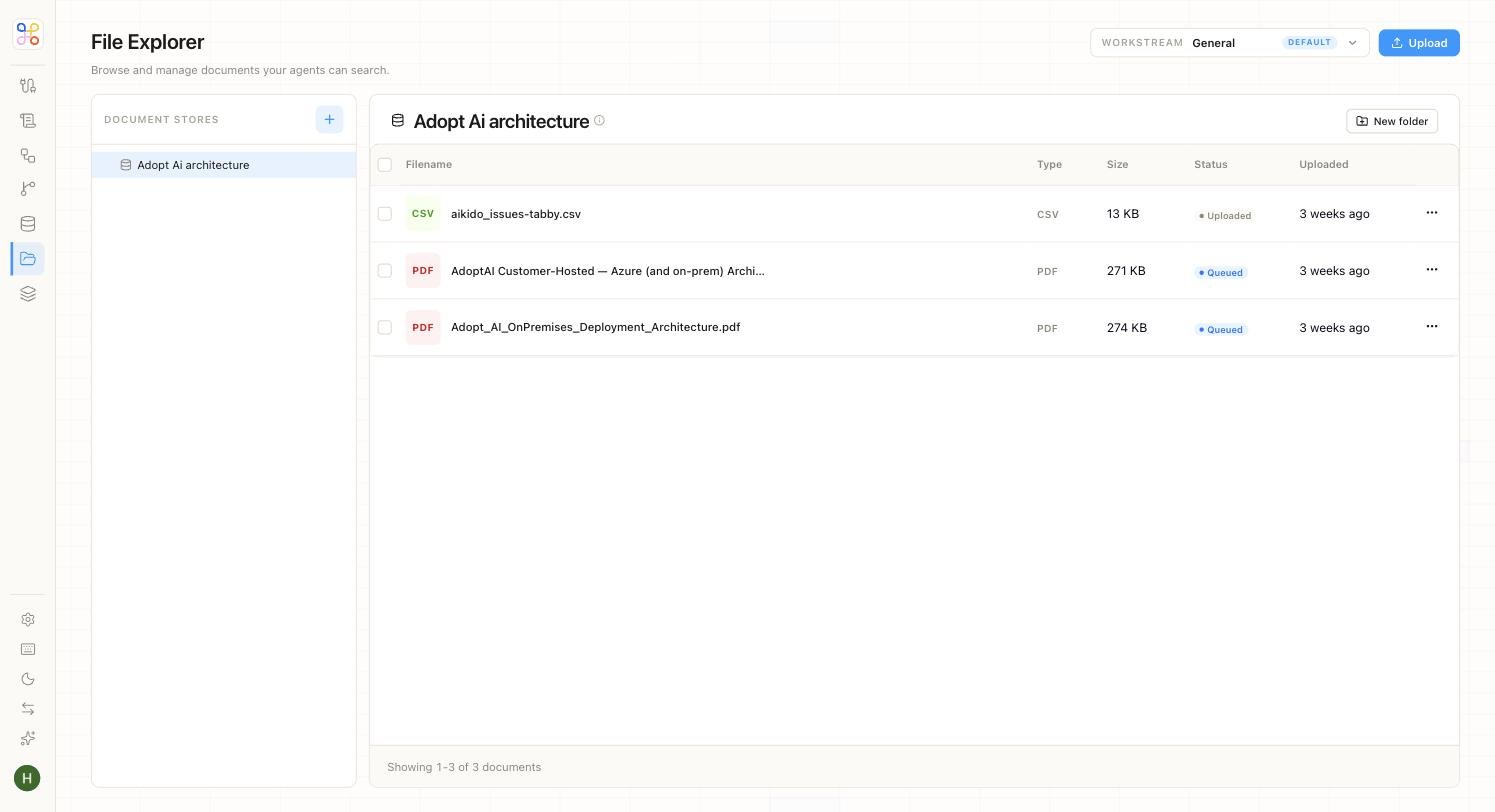 You fill a Doc Store by connecting a source and running a sync:
1. Connect a **Connector** (Google Drive, SharePoint, File Upload, Amazon S3).
2. A **File Sync** brings the files in and lands them in the Doc Store.
3. The agent reads from the Doc Store when it runs.
A Doc Store is scoped to its client (workstream), and access to it is granted to specific workstreams and agents.
## Data Store — structured tables
A **Data Store** table holds structured data an agent can query — for example a client-management table with columns like `client_name`, `industry`, `primary_contact`, `arr`, `status`. Standard columns (`id`, `created_at`, `updated_at`, `is_deleted`) are added automatically.
You fill a Doc Store by connecting a source and running a sync:
1. Connect a **Connector** (Google Drive, SharePoint, File Upload, Amazon S3).
2. A **File Sync** brings the files in and lands them in the Doc Store.
3. The agent reads from the Doc Store when it runs.
A Doc Store is scoped to its client (workstream), and access to it is granted to specific workstreams and agents.
## Data Store — structured tables
A **Data Store** table holds structured data an agent can query — for example a client-management table with columns like `client_name`, `industry`, `primary_contact`, `arr`, `status`. Standard columns (`id`, `created_at`, `updated_at`, `is_deleted`) are added automatically.
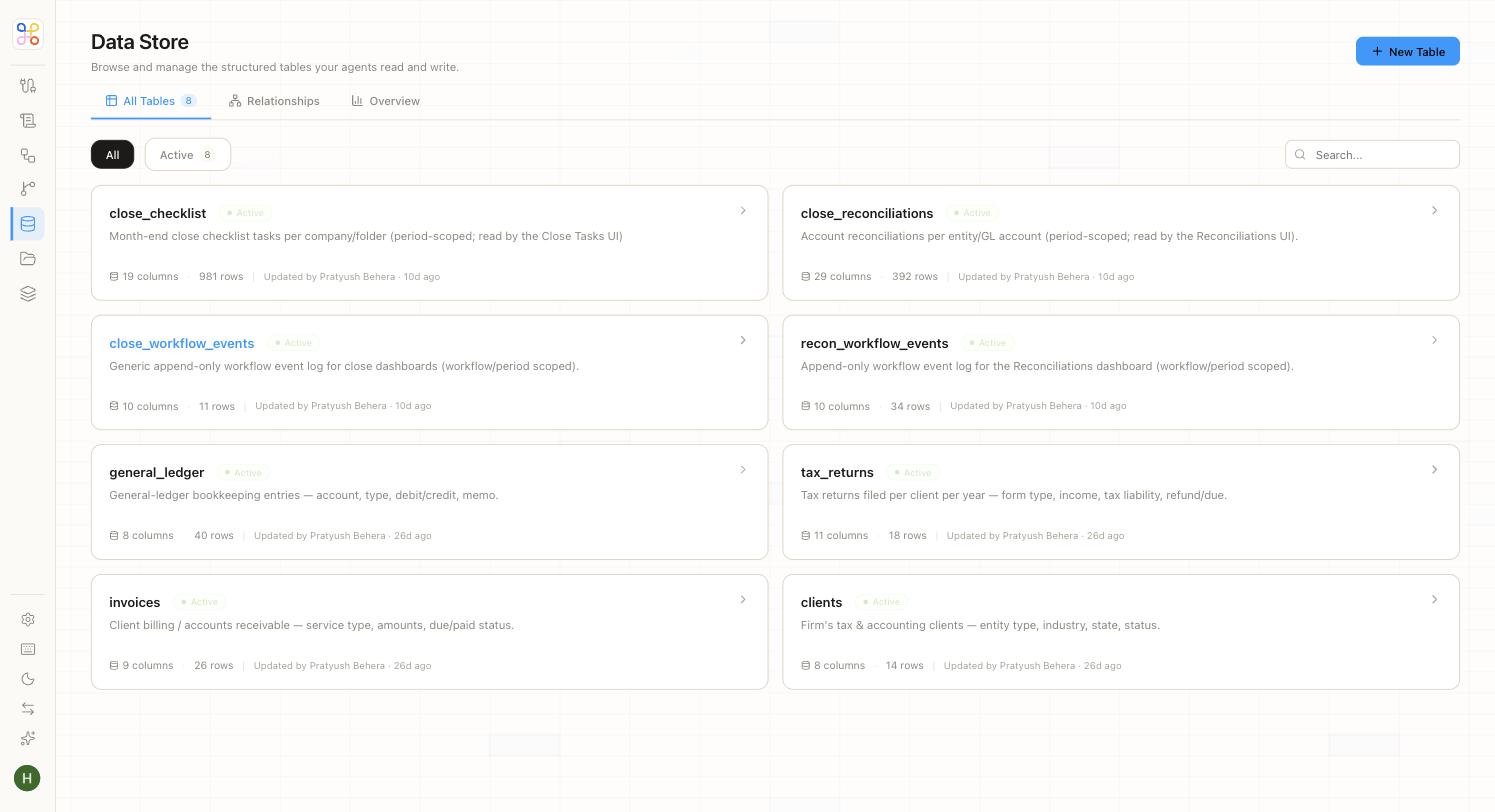 A Data Store is optional. Use it when the agent needs to *look something up* in a table rather than read it out of a document.
### Scope choices
When a builder creates a Data Store table, they pick a scope — the same two axes as everything else in Adopt:
* **Global** — org-wide; every workstream and agent can read it. Use for reference data that isn't client-specific.
* **Workstream-based** — row-scoped per client (row-level security). Each client only sees its own rows. This is the safe default for client data.
* **Workstream + Agent** — per client, and only readable by specifically tagged agents. The tightest scope.
End users never see this choice; on the Quick setup path a sensible default (workstream-based) is applied automatically.
## Which do I use?
| If the information is… | Put it in… |
| ------------------------------------------- | -------------------------------- |
| A document to be read, cited, or summarized | Doc Store |
| Rows you'll filter, look up, or join | Data Store |
| Client-specific | Workstream-scoped (either store) |
| Shared reference data | Global Data Store |
## Next steps
1. [Connecting a data source](/builder-guide/connecting-a-source)
2. [Create a Data Store table](/builder-guide/create-a-data-store-table)
3. [Access scoping](/security-access/access-scoping)
A Data Store is optional. Use it when the agent needs to *look something up* in a table rather than read it out of a document.
### Scope choices
When a builder creates a Data Store table, they pick a scope — the same two axes as everything else in Adopt:
* **Global** — org-wide; every workstream and agent can read it. Use for reference data that isn't client-specific.
* **Workstream-based** — row-scoped per client (row-level security). Each client only sees its own rows. This is the safe default for client data.
* **Workstream + Agent** — per client, and only readable by specifically tagged agents. The tightest scope.
End users never see this choice; on the Quick setup path a sensible default (workstream-based) is applied automatically.
## Which do I use?
| If the information is… | Put it in… |
| ------------------------------------------- | -------------------------------- |
| A document to be read, cited, or summarized | Doc Store |
| Rows you'll filter, look up, or join | Data Store |
| Client-specific | Workstream-scoped (either store) |
| Shared reference data | Global Data Store |
## Next steps
1. [Connecting a data source](/builder-guide/connecting-a-source)
2. [Create a Data Store table](/builder-guide/create-a-data-store-table)
3. [Access scoping](/security-access/access-scoping)