> ## Documentation Index
> Fetch the complete documentation index at: https://docs.adopt.ai/llms.txt
> Use this file to discover all available pages before exploring further.
# Reviewing Actions on the Agent Builder
> Explore and understand the Actions section in the Agent Builder Platform
Now that your Tools (APIs, Entities, Pages, and Knowledge Base content) have been discovered and defined, it's time to see what they’ve helped create—**Actions**.
You can view a complete walkthrough of the Tools section in the video below, or keep reading for a detailed breakdown.
### What’s an Action?
An **Action** is a single, well-defined task that a user can perform inside your product—like *“Create a new campaign,”* *“Update user access,”* or *“Show me this month’s spend.”*
Actions are what power the Agent’s capabilities. They're how natural language inputs like “Cancel John’s license” get translated into structured API calls and real outcomes. In short, **Actions are what your agent can do.**
Every Action combines your tools—API endpoints, Pages, KB content—into a usable command the agent can understand and execute.
You can watch the video below for a complete walkthrough of the Actions section inside the Agent Builder platform, or keep reading for a step-by-step breakdown.
### The Actions Dashboard
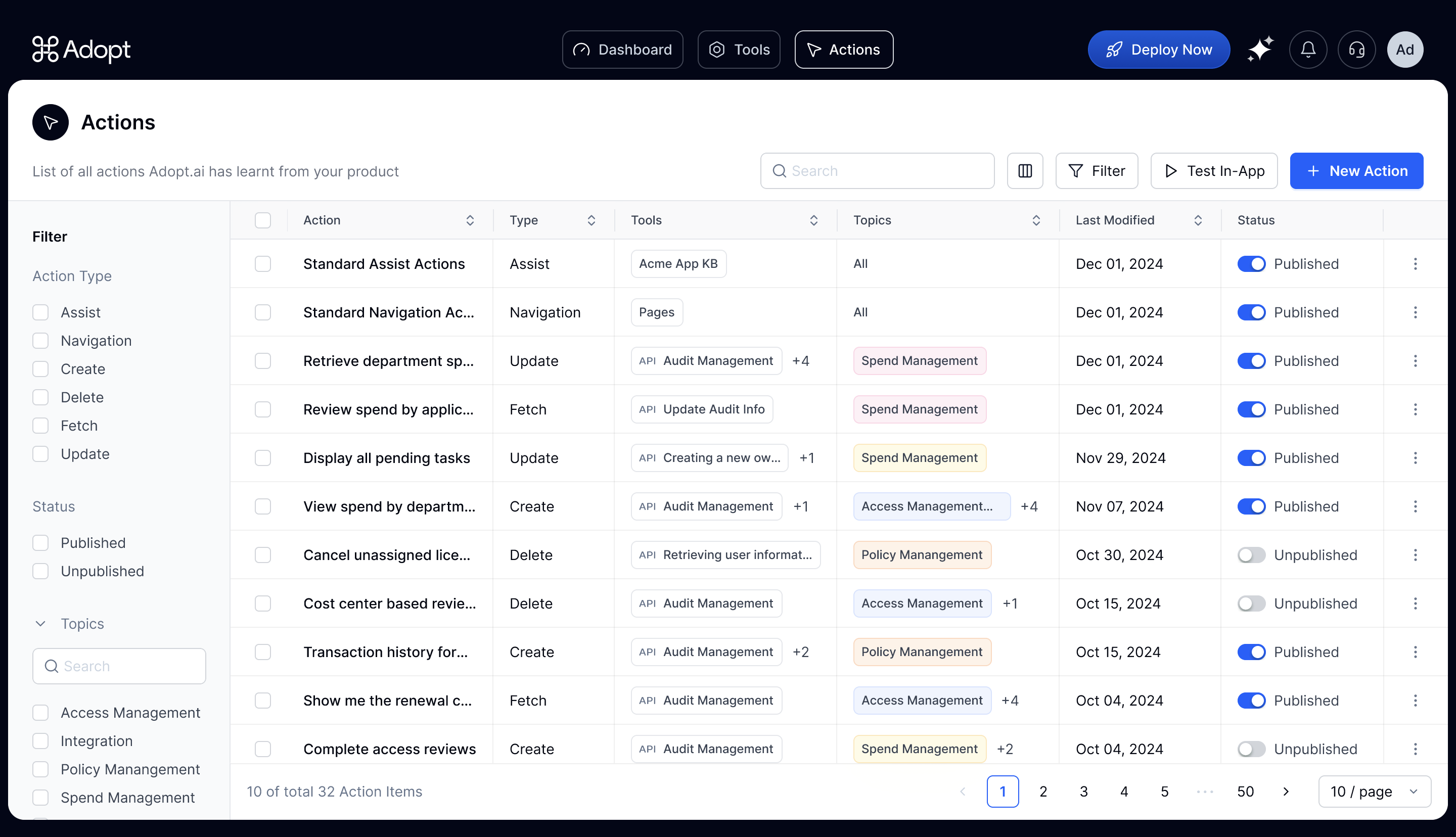
From the **Actions** tab inside the Agent Builder, you’ll see a full list of all the Actions Adopt has generated for your app.
Here's a quick overview of what each column represents →
| **Column** | **What It Means** |
| :---------------- | ------------------------------------------------------------------------------------------------------------------------------------------------------------------------------------------------------------------------------------- |
| **Action** | The name of the action the agent can perform. This is usually phrased in natural language for easy scanning—like *“Display all pending tasks”*. |
| **Type** | The category of action based on intent:
• `Assist` – Uses KB content to answer or guide users
• `Navigation` – Opens a page or route
• `Create`, `Fetch`, `Update`, `Delete` – Standard CRUD actions linked to APIs |
| **Tools** | The underlying components (APIs, KB pages, or app routes) that power the action. Actions often pull from multiple tools to execute a complete flow. |
| **Topics** | High-level product areas or workflows—like *“Spend Management”* or *“Access Management.”* These are automatically derived from your Knowledge Base and help categorize where each action belongs. |
| **Last Modified** | The most recent date the action was edited or updated. Helpful for version tracking. |
| **Status** | A toggle to **Publish** or **Un-publish** an action. Only published actions are available to the end users to use. Keep them unpublished until fully reviewed. |
### How Actions Come Together
To recap:
* **APIs** define what can be done
* **Entities** help fill in the right data
* **Pages** define where to go
* **KB content** supports guidance and context
All of that comes together into **Actions**—the building blocks of your agent’s capabilities.
### You're All Set!
If you've read this far, you've got the essentials down—how Adopt discovers your tools, maps your entities, and generates actions that actually work. Nice job.