> ## Documentation Index
> Fetch the complete documentation index at: https://docs.adopt.ai/llms.txt
> Use this file to discover all available pages before exploring further.
# Understanding Data Pipelines
> Learn what Data Pipelines are, how they fit into the Adopt AI platform, and how they differ from Tools and Actions.
## What Are Data Pipelines?
Data Pipelines are **pre-computed data infrastructure** that give agents and Human-in-the-Loop (HITL) experiences the context they need to operate effectively. Rather than fetching data on-demand during an agent run, Pipelines extract and transform data ahead of time — so it's ready when your agents and dashboards need it.
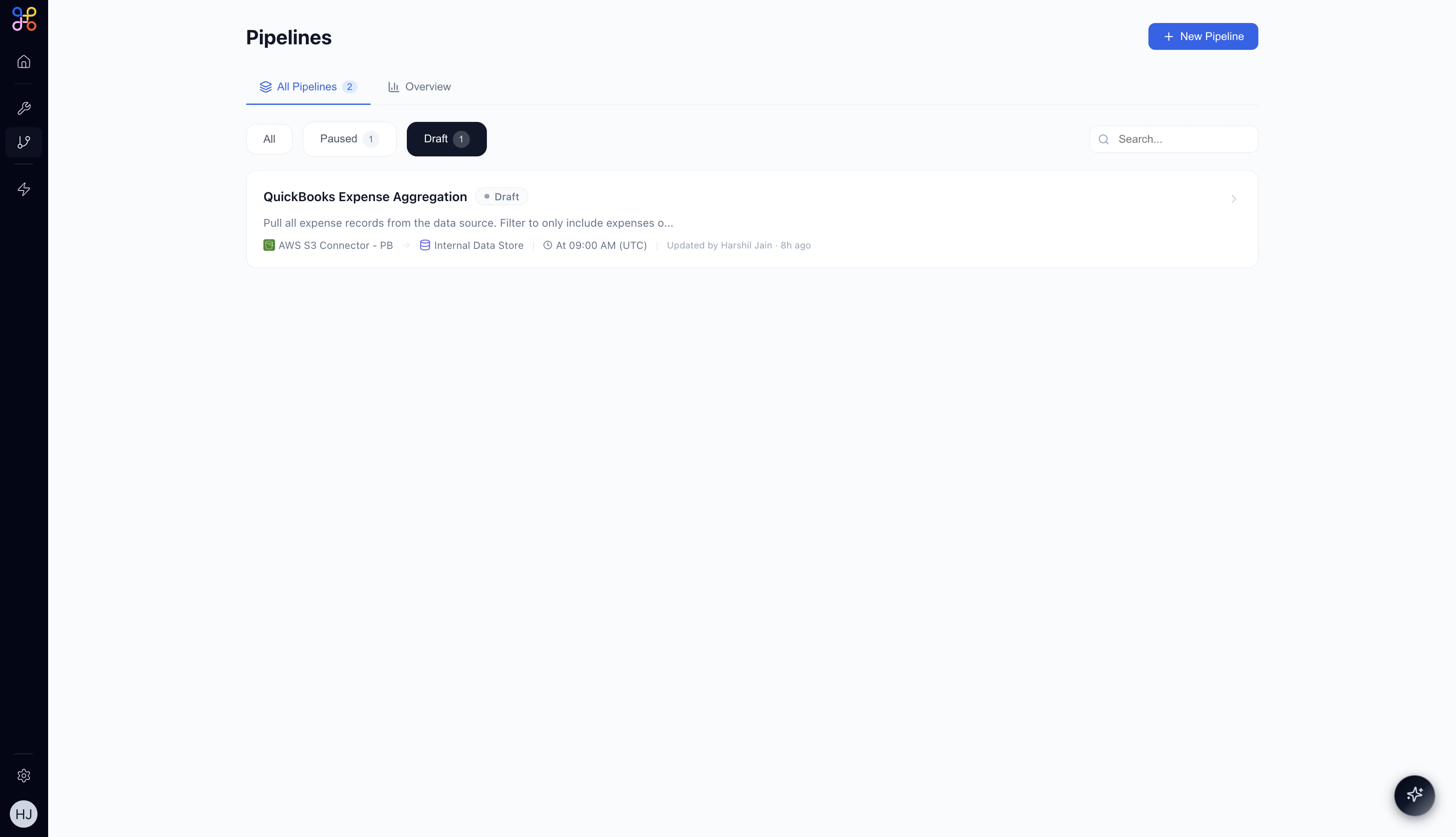 A Pipeline connects to an external system via a Connector, pulls and transforms the data according to logic you define, and stores the result as structured **Pipeline Outcomes** in the Internal Data Store. These outcomes can then be referenced by Agents during execution or displayed in HITL Experiences.
***
## Key Characteristics
**Extract & Transform.** Pipelines pull data from external systems (via Connectors) and transform it into clean, structured formats your agents can reason over.
**Stateful Infrastructure.** Unlike Tools, Pipelines run on a schedule and their outcomes *persist* between runs. The data is always available — agents don't need to wait for a live API call.
**Platform-Level Logic, Project-Level Credentials.** The extraction and transformation logic is defined once at the platform level. Each project brings its own connector credentials, so the same Pipeline can serve multiple customer environments.
**Named Outputs (Pipeline Outcomes).** Each Pipeline produces one or more named output tables — for example, `deals_over_10k` or `aggregated_expenses`. These are the outputs that Agents and Experiences reference.
***
## Pipelines vs. Tools
Pipelines and Tools may seem similar, but they serve different purposes in the Adopt AI architecture.
| Aspect | Tool | Pipeline |
| -------------------- | ----------------------------------- | ------------------------------------------------------- |
| **Nature** | Capability (what an agent *can do*) | Data (what an agent *knows*) |
| **Execution** | Called at runtime, on-demand | Runs independently on a schedule; outcomes pre-computed |
| **State** | Stateless | Stateful — outcomes persist between runs |
| **Primary Consumer** | Actions | Agents (pipeline node), Experiences (data binding) |
| **Credentials** | Platform-level | Project-level |
Think of Tools as verbs (send email, create ticket, look up a record) and Pipelines as nouns (a pre-built dataset that describes your business reality). Agents use both — Tools to act, Pipelines to understand context.
***
## Pipeline Outcomes
A **Pipeline Outcome** is a named output produced by a Pipeline run — a structured table of data stored in the Internal Data Store.
Examples of outcomes:
* `deals_over_10k` — all open CRM deals above a threshold, refreshed hourly
* `aggregated_expenses` — expenses grouped by category, updated daily
* `customer_support_tickets` — recent support tickets with status and priority
Outcomes are referenced by name in Agent workflows and Experience data bindings. They are always available without making a live external API call.
***
## Where Pipelines Fit in the Platform
Pipelines sit in the **Foundation** layer of the Adopt AI platform, alongside Connectors and Tools.
```text theme={null}
Foundation Layer
├── Connectors → connect to external systems (HubSpot, QuickBooks, AWS S3...)
├── Tools → callable actions agents can perform on those systems
└── Pipelines → scheduled data extraction and transformation
Orchestration Layer
├── Actions → step-by-step instructions agents follow
├── Agents → orchestrators that use Tools and Pipeline data
└── Experiences → HITL dashboards that display Pipeline Outcomes
```
### In Agent Workflows
When an Agent runs, it can have a **Pipeline node** in its canvas. The Pipeline node injects pre-processed data from a Pipeline Outcome directly into the agent's execution context — no live API call required.
### In HITL Experiences
Experiences are dashboards where human reviewers inspect and approve agent work. Pipeline Outcomes can be **bound to Experience components** — tables, charts, and reports — so reviewers see up-to-date data without the agent needing to fetch it in real time.
***
## Pipeline Lifecycle
1. **Draft** — Pipeline is created and workflow is AI-generated but not yet running.
2. **Active** — Pipeline runs on its defined schedule; outcomes are continuously updated.
3. **Paused** — Pipeline is temporarily stopped; the last outcome is preserved but not refreshed.
Pipelines run independently from Agents. They pre-compute data on their own schedule so that when an Agent executes, it can access fresh, structured data instantly — without incurring API latency during the run.
***
## Next Steps
* [When to Use Pipelines](/essentials/pipelines-use-cases) — scenarios and decision guidance
* [Building Your First Pipeline](/essentials/pipelines-create) — step-by-step creation guide
* [Pipeline Features](/essentials/pipelines-features) — scheduling, transformations, and monitoring
A Pipeline connects to an external system via a Connector, pulls and transforms the data according to logic you define, and stores the result as structured **Pipeline Outcomes** in the Internal Data Store. These outcomes can then be referenced by Agents during execution or displayed in HITL Experiences.
***
## Key Characteristics
**Extract & Transform.** Pipelines pull data from external systems (via Connectors) and transform it into clean, structured formats your agents can reason over.
**Stateful Infrastructure.** Unlike Tools, Pipelines run on a schedule and their outcomes *persist* between runs. The data is always available — agents don't need to wait for a live API call.
**Platform-Level Logic, Project-Level Credentials.** The extraction and transformation logic is defined once at the platform level. Each project brings its own connector credentials, so the same Pipeline can serve multiple customer environments.
**Named Outputs (Pipeline Outcomes).** Each Pipeline produces one or more named output tables — for example, `deals_over_10k` or `aggregated_expenses`. These are the outputs that Agents and Experiences reference.
***
## Pipelines vs. Tools
Pipelines and Tools may seem similar, but they serve different purposes in the Adopt AI architecture.
| Aspect | Tool | Pipeline |
| -------------------- | ----------------------------------- | ------------------------------------------------------- |
| **Nature** | Capability (what an agent *can do*) | Data (what an agent *knows*) |
| **Execution** | Called at runtime, on-demand | Runs independently on a schedule; outcomes pre-computed |
| **State** | Stateless | Stateful — outcomes persist between runs |
| **Primary Consumer** | Actions | Agents (pipeline node), Experiences (data binding) |
| **Credentials** | Platform-level | Project-level |
Think of Tools as verbs (send email, create ticket, look up a record) and Pipelines as nouns (a pre-built dataset that describes your business reality). Agents use both — Tools to act, Pipelines to understand context.
***
## Pipeline Outcomes
A **Pipeline Outcome** is a named output produced by a Pipeline run — a structured table of data stored in the Internal Data Store.
Examples of outcomes:
* `deals_over_10k` — all open CRM deals above a threshold, refreshed hourly
* `aggregated_expenses` — expenses grouped by category, updated daily
* `customer_support_tickets` — recent support tickets with status and priority
Outcomes are referenced by name in Agent workflows and Experience data bindings. They are always available without making a live external API call.
***
## Where Pipelines Fit in the Platform
Pipelines sit in the **Foundation** layer of the Adopt AI platform, alongside Connectors and Tools.
```text theme={null}
Foundation Layer
├── Connectors → connect to external systems (HubSpot, QuickBooks, AWS S3...)
├── Tools → callable actions agents can perform on those systems
└── Pipelines → scheduled data extraction and transformation
Orchestration Layer
├── Actions → step-by-step instructions agents follow
├── Agents → orchestrators that use Tools and Pipeline data
└── Experiences → HITL dashboards that display Pipeline Outcomes
```
### In Agent Workflows
When an Agent runs, it can have a **Pipeline node** in its canvas. The Pipeline node injects pre-processed data from a Pipeline Outcome directly into the agent's execution context — no live API call required.
### In HITL Experiences
Experiences are dashboards where human reviewers inspect and approve agent work. Pipeline Outcomes can be **bound to Experience components** — tables, charts, and reports — so reviewers see up-to-date data without the agent needing to fetch it in real time.
***
## Pipeline Lifecycle
1. **Draft** — Pipeline is created and workflow is AI-generated but not yet running.
2. **Active** — Pipeline runs on its defined schedule; outcomes are continuously updated.
3. **Paused** — Pipeline is temporarily stopped; the last outcome is preserved but not refreshed.
Pipelines run independently from Agents. They pre-compute data on their own schedule so that when an Agent executes, it can access fresh, structured data instantly — without incurring API latency during the run.
***
## Next Steps
* [When to Use Pipelines](/essentials/pipelines-use-cases) — scenarios and decision guidance
* [Building Your First Pipeline](/essentials/pipelines-create) — step-by-step creation guide
* [Pipeline Features](/essentials/pipelines-features) — scheduling, transformations, and monitoring