What Are Connectors?
A Connector is the lowest-level capability on the platform. It’s a live, authenticated connection to an external system — your general ledger, a document drive, a tax portal — exposed through the Model Context Protocol (MCP). The important thing to understand is what a Connector doesn’t do. It carries no intent. It doesn’t know when or why to reconcile an account or file a return. It’s purely an access wrapper that makes a system reachable. Deciding what to do with that access is the job of Skills.Think of Connectors like SDKs or client libraries — they give you the ability to reach a system, but carry no view on when or how to use it.
How to Access Connectors
Click Connectors in the left navigation, under the Build group. This opens the connector gallery — your catalogue of every system the platform can reach.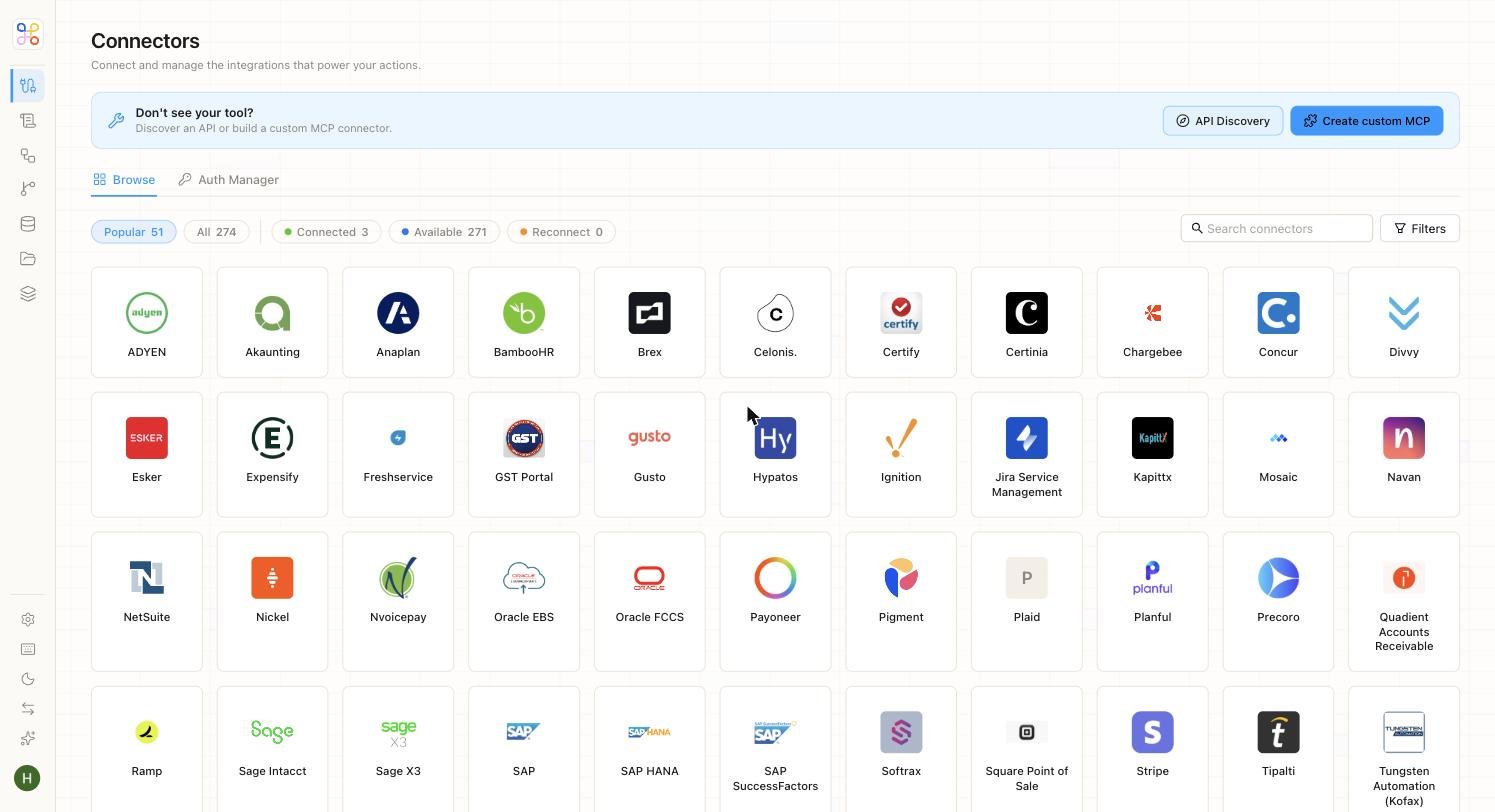
Inside the Connector Gallery
The gallery lists every available connector as a tile. Across the top, a row of filter chips lets you narrow the view, and a search bar finds a specific tool by name.
The catalogue spans the systems accounting and finance teams actually run on — ledgers and ERPs, document drives, expense and AP tools, tax portals, and data warehouses. Two tabs sit above the grid: Browse (the gallery itself) and Auth Manager, where you manage credentials for the connectors you’ve set up.
Adding a Connector That Isn’t Listed
If the tool you need isn’t in the catalogue, you’re not stuck. The Create custom MCP button (top right) lets you build your own connector. It offers two modes.- Custom Integration
- Remote Connection
Build a connector with your own branding and configuration. You provide a name, a description of what the integration does, one or more categories, and an icon.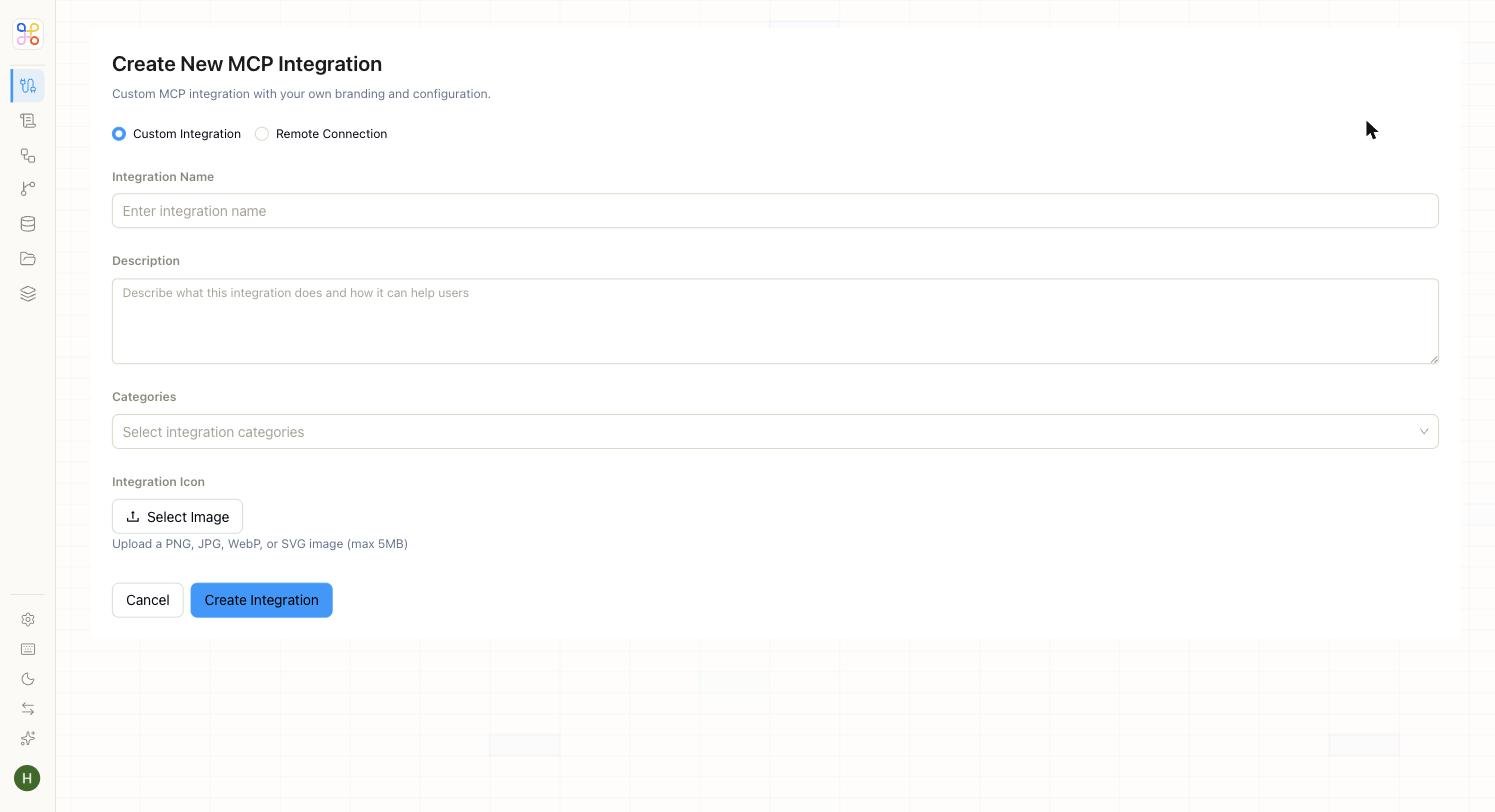

Discovering APIs Automatically
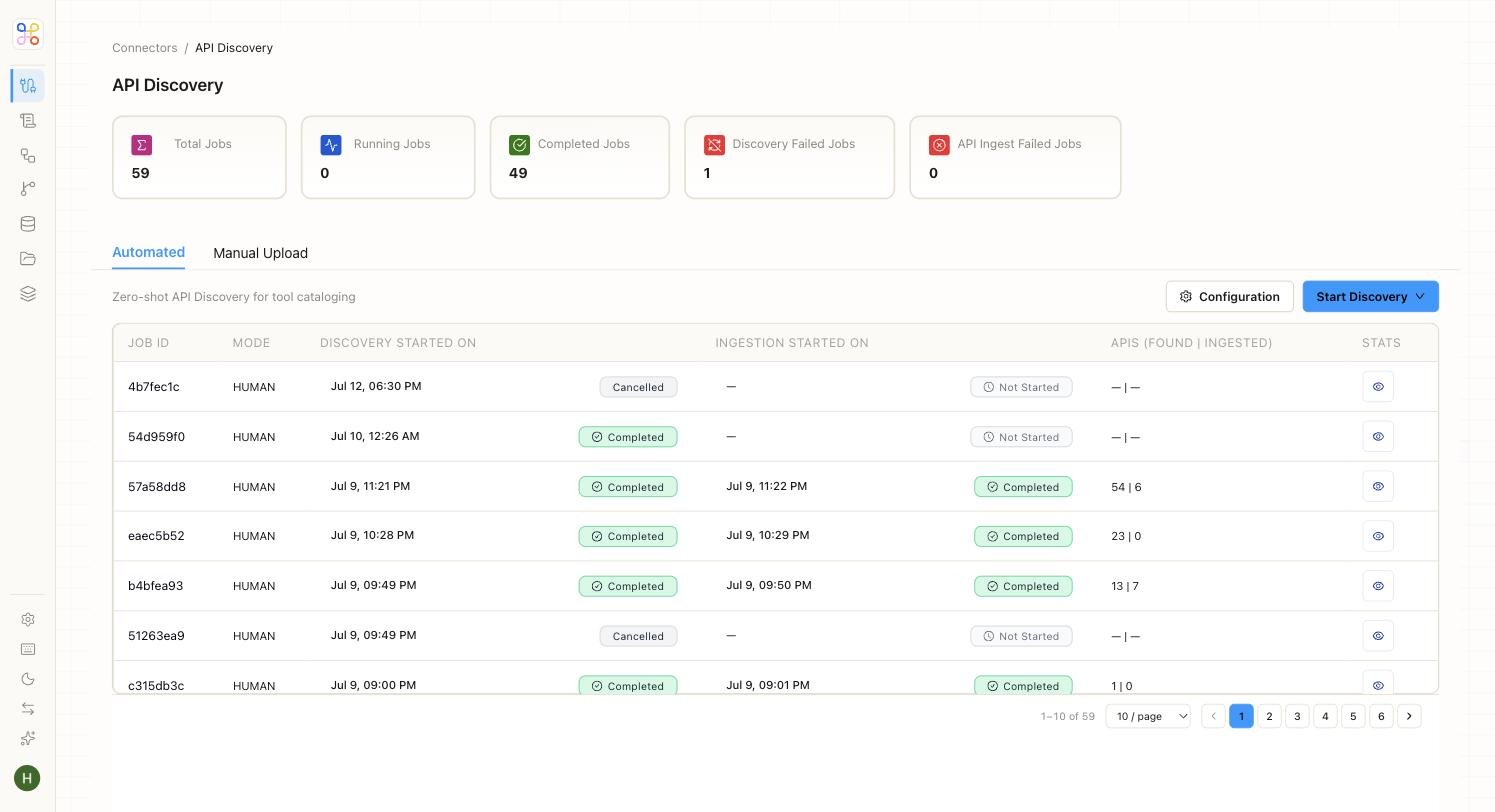
Some systems don’t publish clean API documentation — but that shouldn’t stop you from connecting them. The API Discovery button opens Adopt’s automatic discovery system, which explores an application like a power user and catalogues the APIs behind it, making them LLM-ready.