

What Is the Data Store?
The Data Store is the shared data substrate for the whole platform. Where File Explorer holds raw documents, the Data Store holds structured rows — general ledger entries, reconciliations, client records, tax returns. It’s stateful: the data persists between runs, so an agent can pick up exactly where the last one left off.The Data Store is the platform’s operational database and message-passing bus rolled into one — structured tables for reporting, plus a place to drop work for the next agent.
How to Access the Data Store
Click Data Store in the left navigation, under the Adopt Primitives group. This opens the tables view.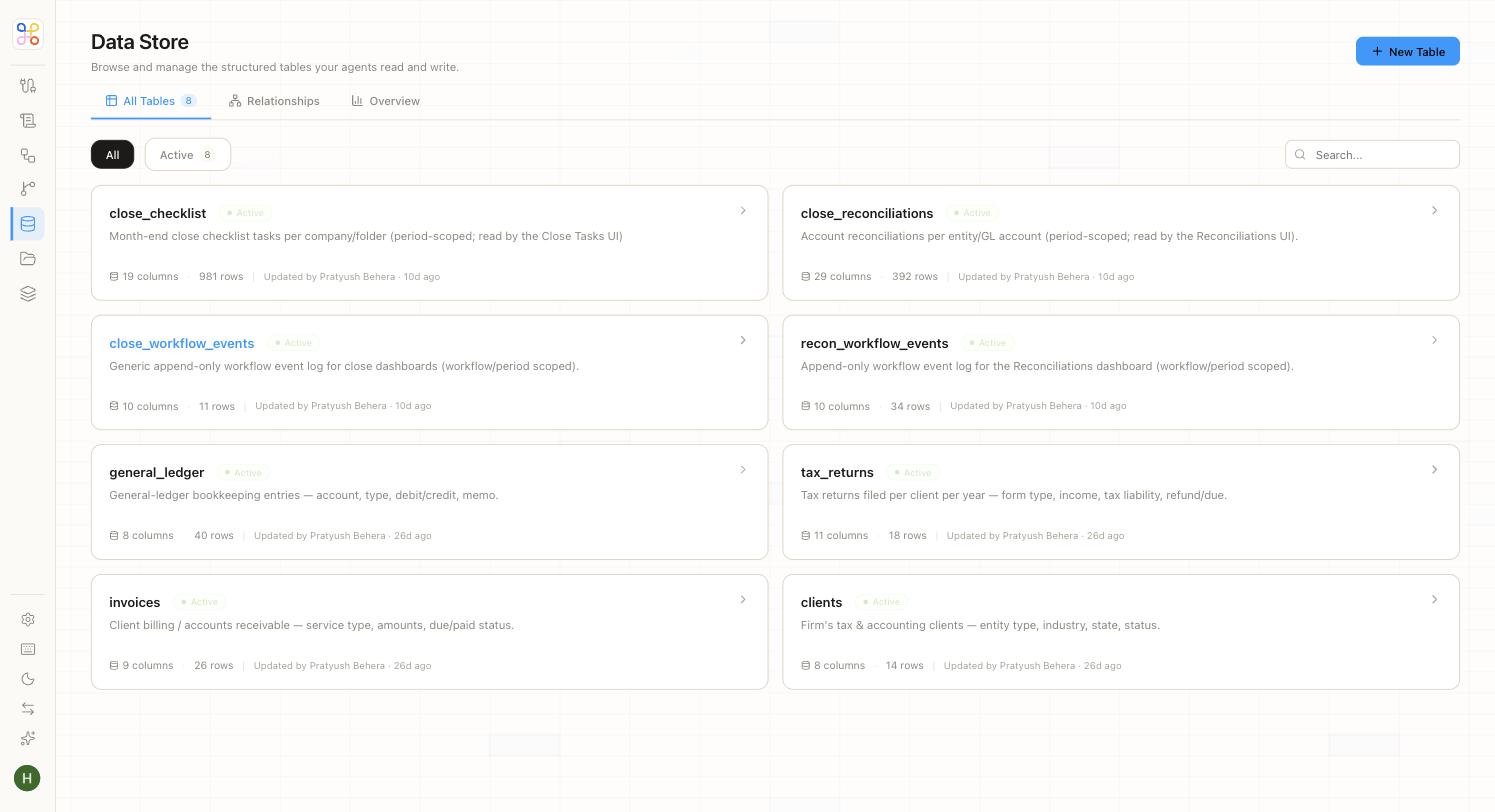
Inside the Tables List
Each table appears as a card showing its name, status, a plain-language description, and its size. The tables are the working data of an accounting practice — for example:
Notice that some descriptions note the table is “read by the Close Tasks UI” or “read by the Reconciliations UI” — that’s a Data Store table feeding a Dashboard agent’s surface directly.
Exploring a Table
Click any table to open its detail view. A row of tabs gives you everything about that table.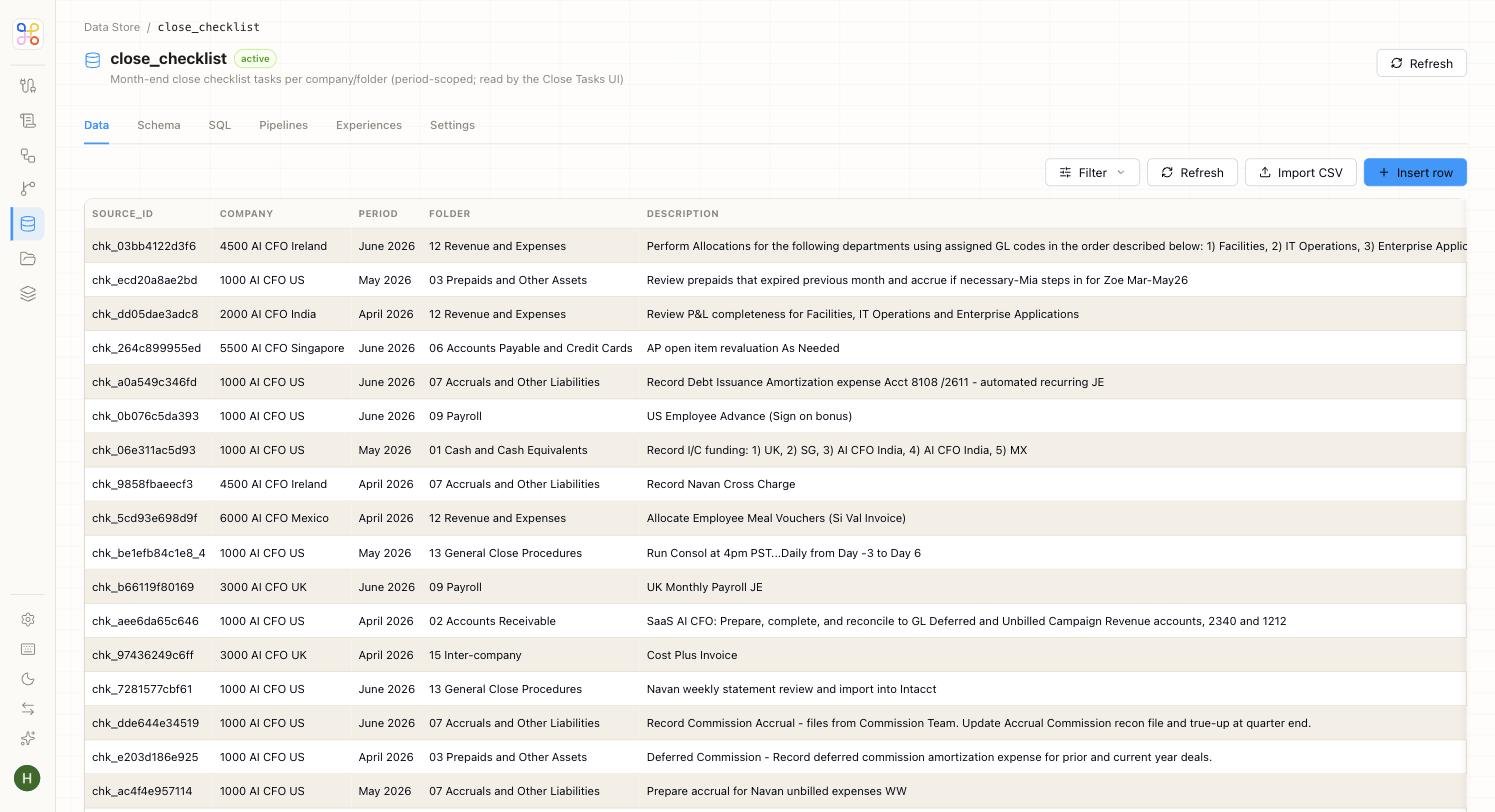
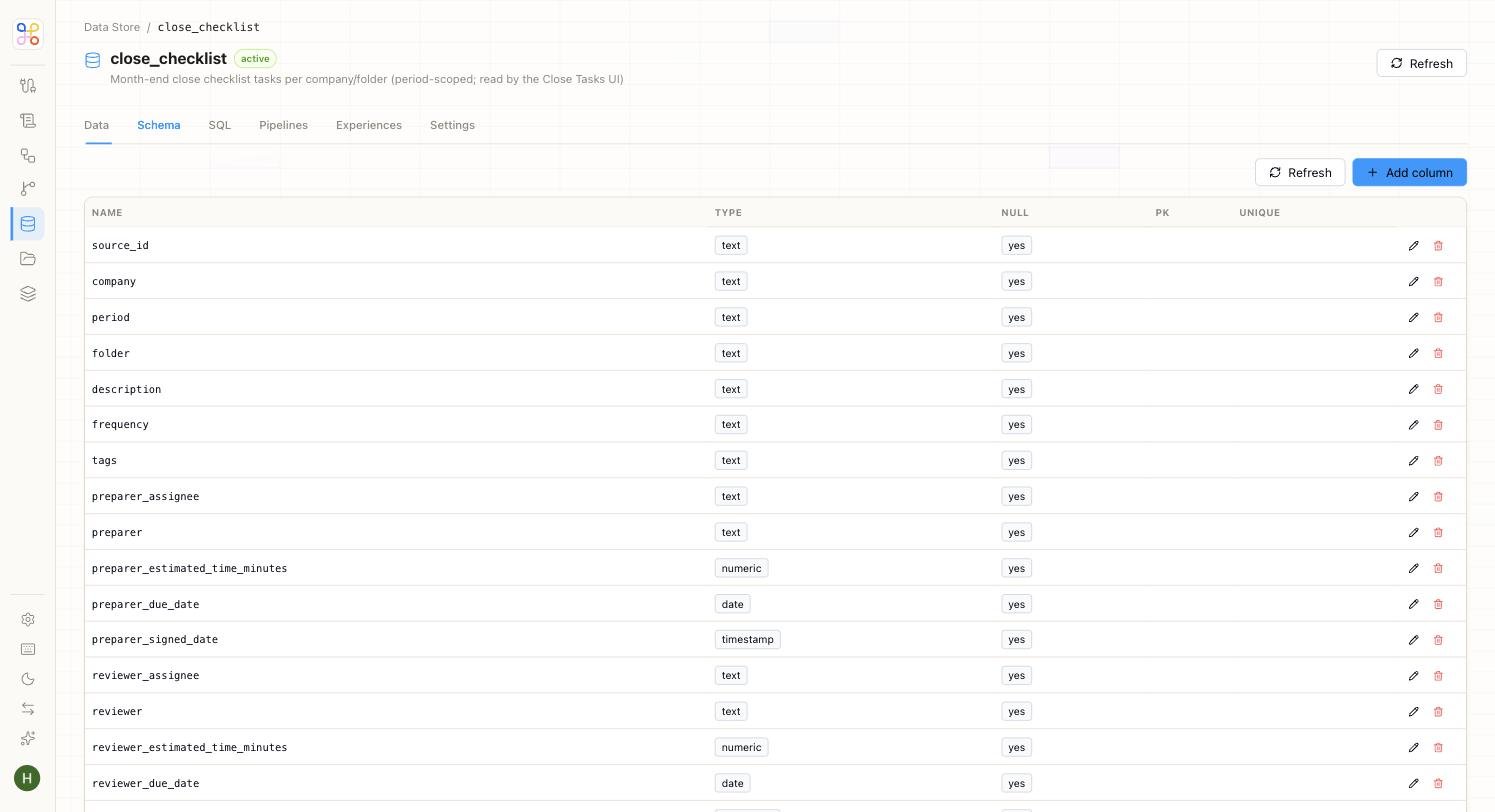
The Schema tab is where you see a table’s structure — every column with its type and whether it’s nullable, a primary key, or unique.
What the Data Store Is For
The Data Store does four distinct jobs, and it helps to keep them straight:- Landing pipeline output — the structured result of every pipeline run.
- Capturing agent output — results an agent produces, persisted for later steps or reporting.
- Agent-to-agent handoff — an intermediate store where one agent parks data for another to pick up and continue.
- Feeding UIs — tables can be read directly by an agent’s end-user surface, like the Close Tasks or Reconciliations dashboards.