

What Is File Explorer?
File Explorer stores source documents —.pdf, .xlsx, .csv, .doc — organized into folders called Document Stores. These are the files an agent can search and reason over during a run, and the same files appear to the person in the conversation, so everyone sees exactly what the agent is working from.
File Explorer is a scoped, searchable document library — a shared drive that both the agent and the human can open, per client.
How to Access File Explorer
Click File Explorer in the left navigation, under the Adopt Primitives group.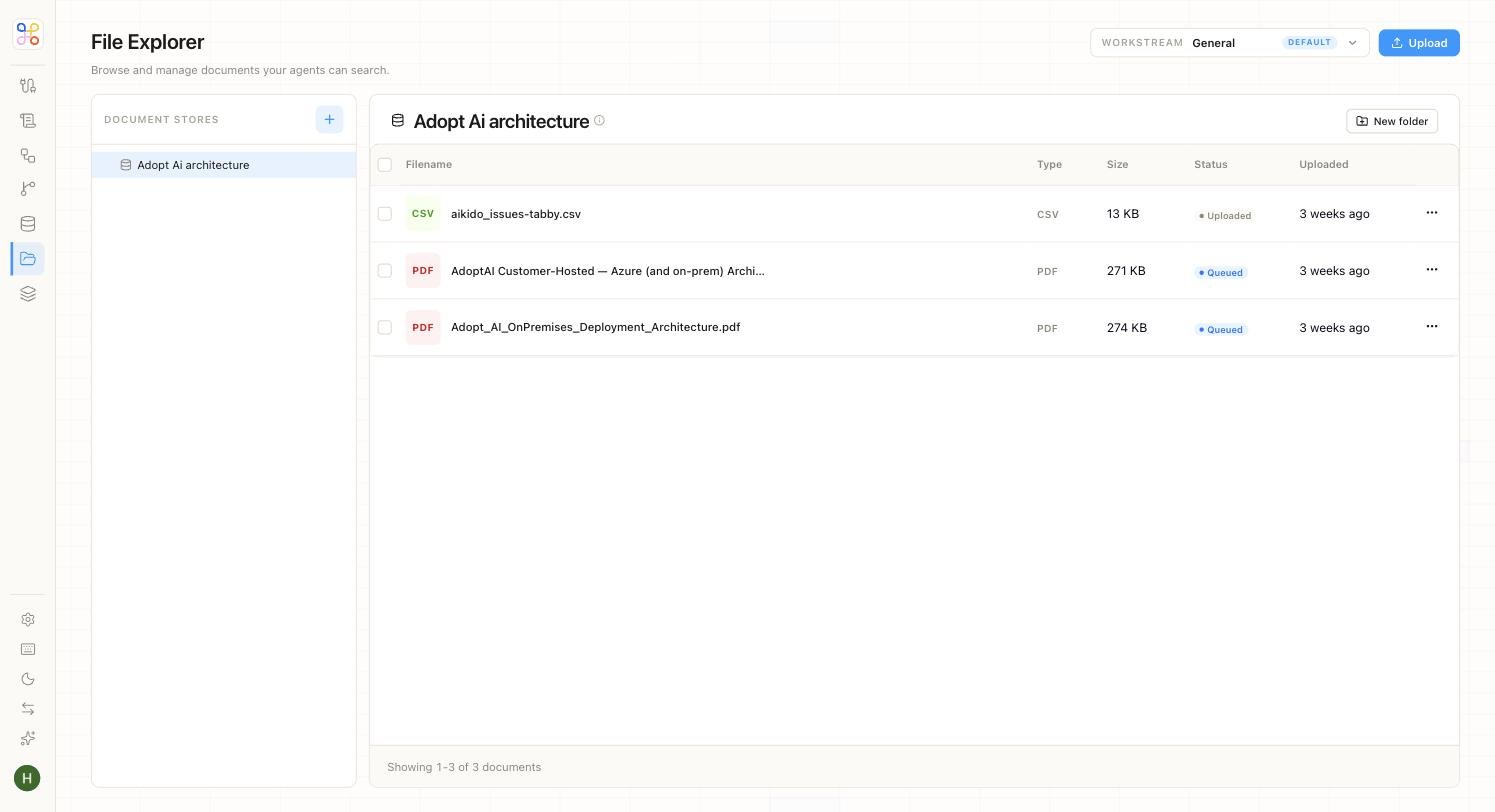
Document Stores
The left panel lists your Document Stores — the folders that group a client’s source material. Use the + button to create a new store. Everything you see is scoped to the workstream selected in the Workstream picker at the top right, so switching clients switches the documents in view.Inside a Document Store
Selecting a store opens its file list. Each file is shown with the details you need to manage it:
A New folder button lets you organize documents into sub-folders within a store.
How Files Get There
Documents reach a store in two ways. You can upload them directly with the Upload button. Or an intake agent or pipeline can populate the store automatically — for example, pulling a client’s R&D source files from a shared drive into the workstream’s document library, which is exactly what the R&D Tax Credit Intake agent does.Because a document’s Status reflects ingestion progress, a file marked Queued isn’t yet searchable by an agent. Wait for it to reach Uploaded before running an agent that depends on it.