

What Is the End-User App?
The App is where Agents actually run. It surfaces only the agents published to a given user, presents each client as a Workstream to scope the work, and renders any human-in-the-loop gate as a clear “Action needed” step. It’s the same underlying objects as the Builder, seen through a runtime lens.Agent Home
The home screen shows the agents your team has set up for you. Each card describes what the agent does and, importantly, whether anything is waiting on you.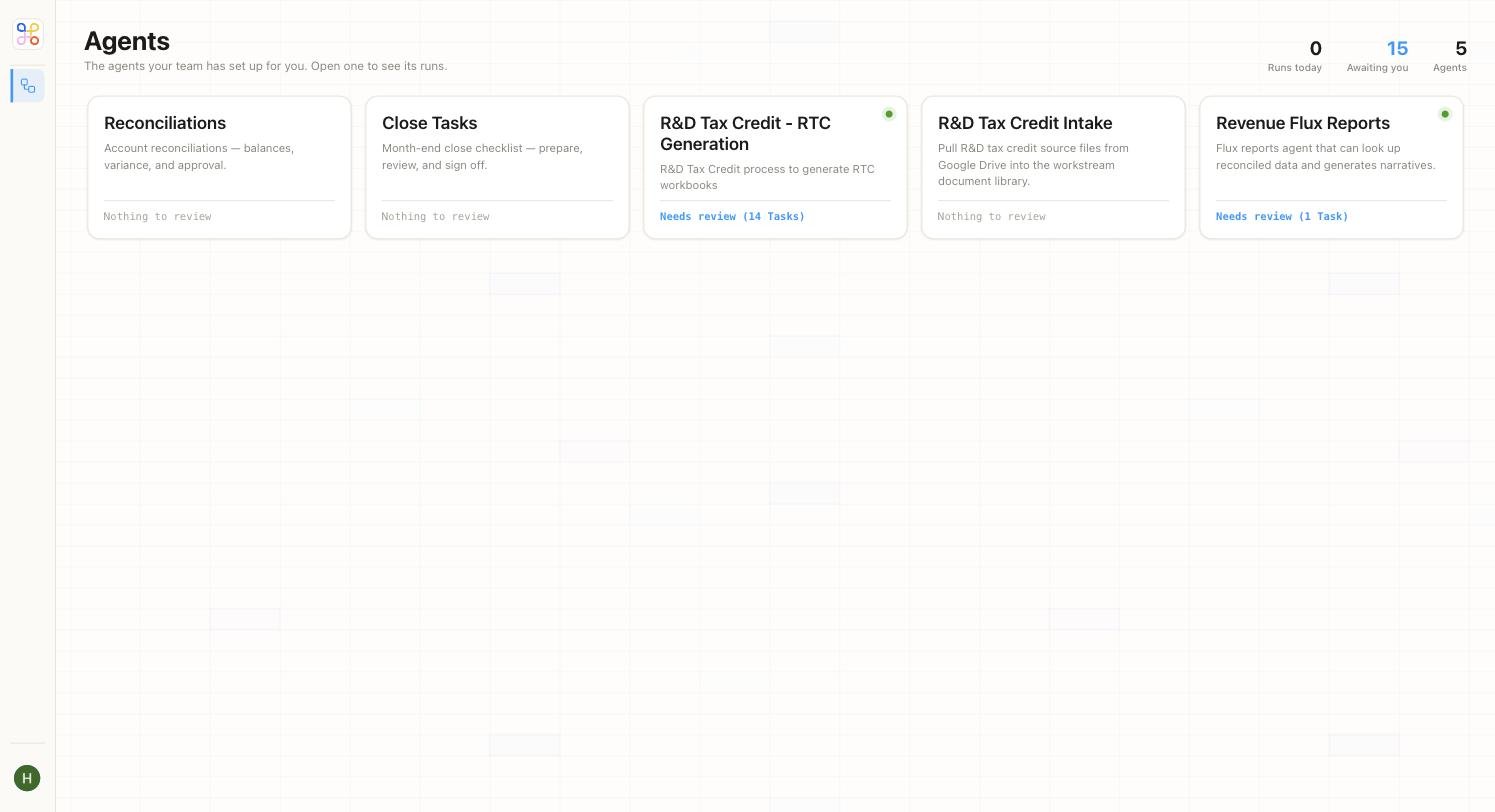
Starting a Run: Picking an Agent and a Workstream
Open an agent and you land on its live status view — its checkpoints and the workstreams it’s running for.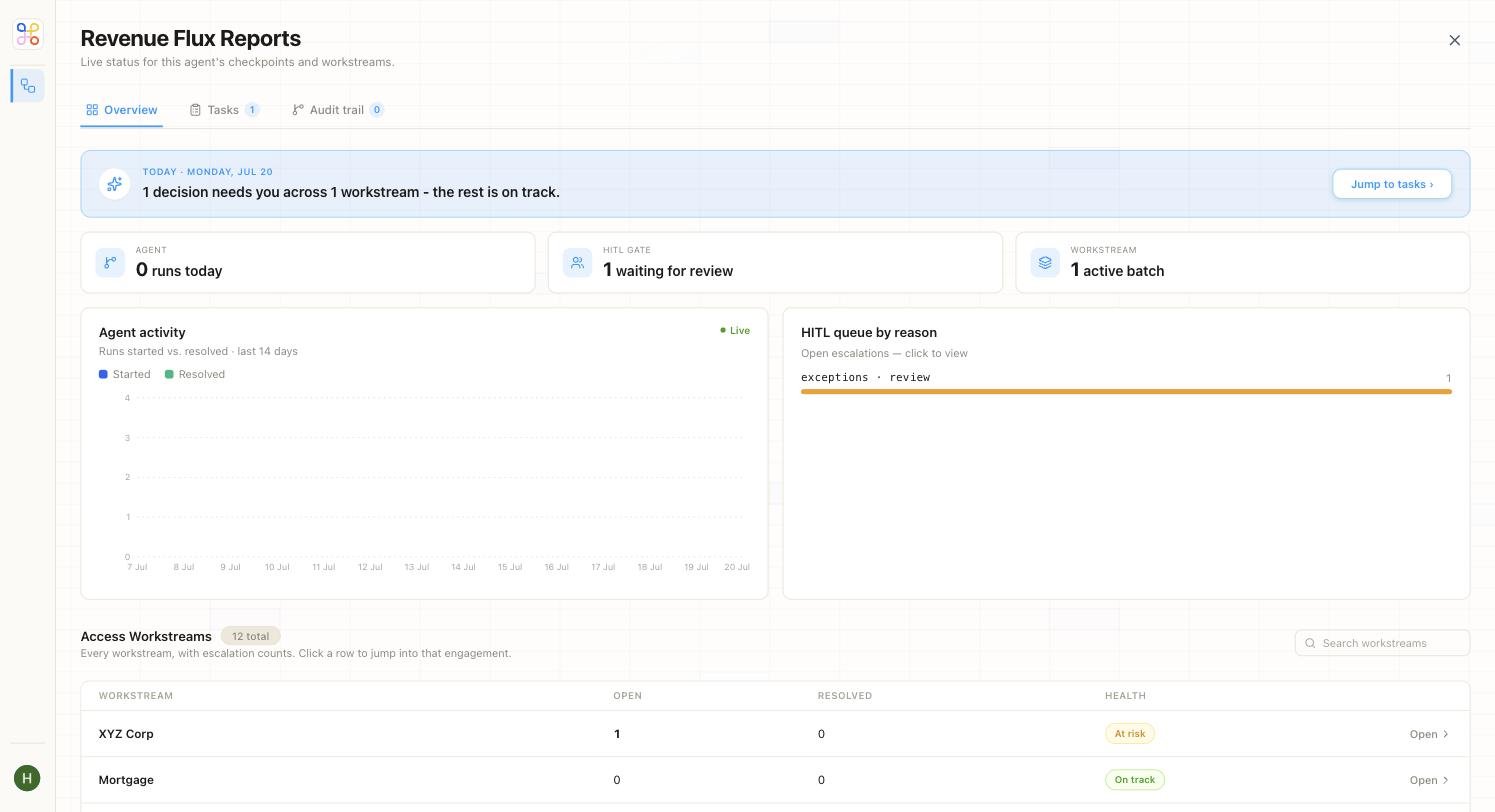
The Conversation and Workflow Tracker
Inside an engagement, the workspace has three zones: the client’s files on the left, the conversation in the middle, and a live workflow tracker on the right.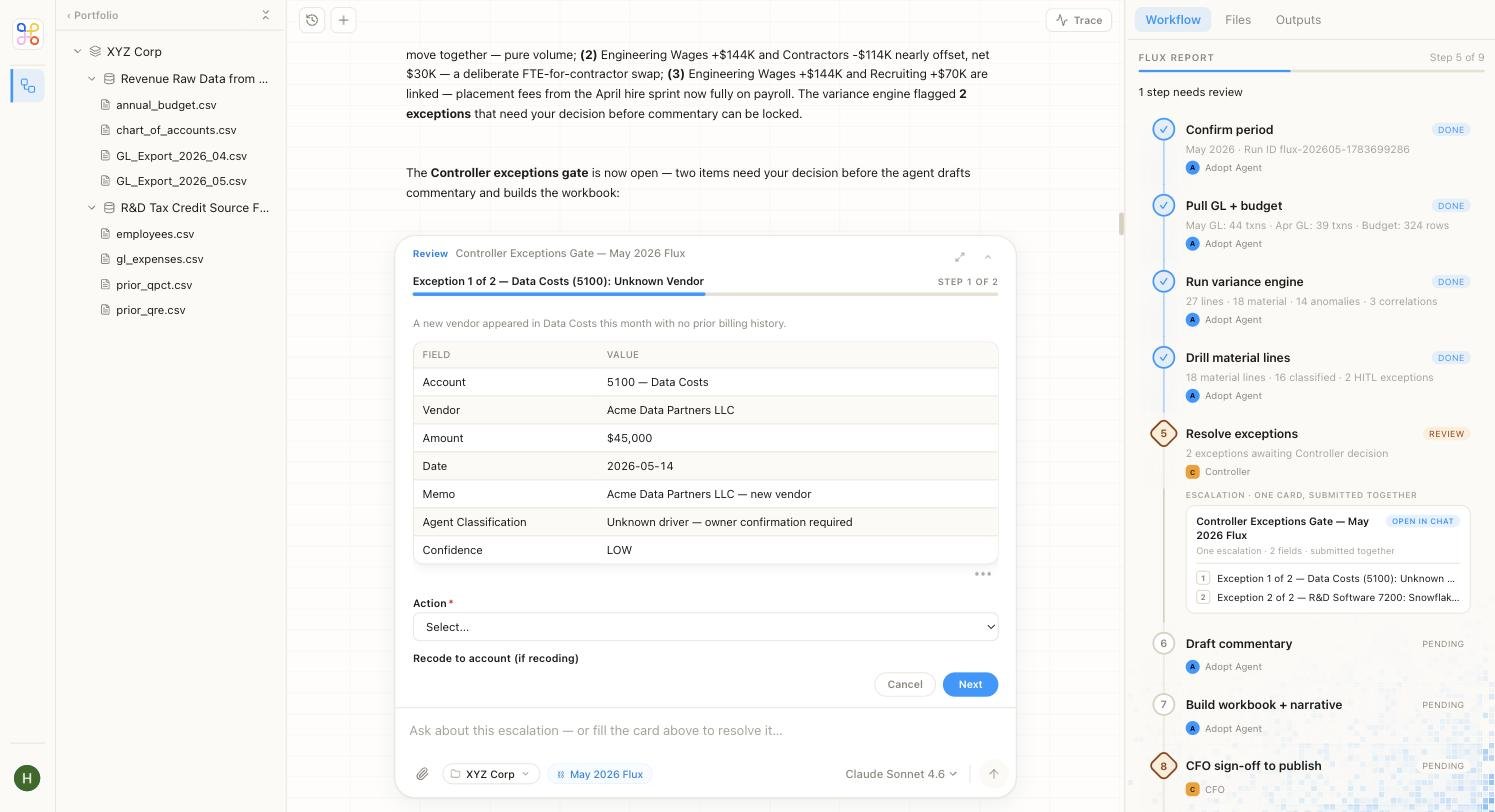
GL_Export_2026_05.csv or the source PDFs.
In the centre, the conversation. You can ask anything in the workstream, and the agent narrates its work as it goes — for the Revenue Flux agent above, it walks through the variance drivers it found before pausing for your decision.
On the right, the Workflow panel — a live tracker of the run’s steps. Each step shows its status, so you can see exactly where the run is and where it’s waiting:
In the flux example, the tracker shows steps like Confirm period, Pull GL + budget, and Run variance engine marked Done, Resolve exceptions marked Review, and Draft commentary and CFO sign-off to publish still Pending.