

Starting Simple
The best way to learn is by creating a straightforward action. This section walks through building a practical example: an action that fetches upcoming license renewals. Click the ”+ New Action” button to open the creation dialog. You’ll see two main questions to answer.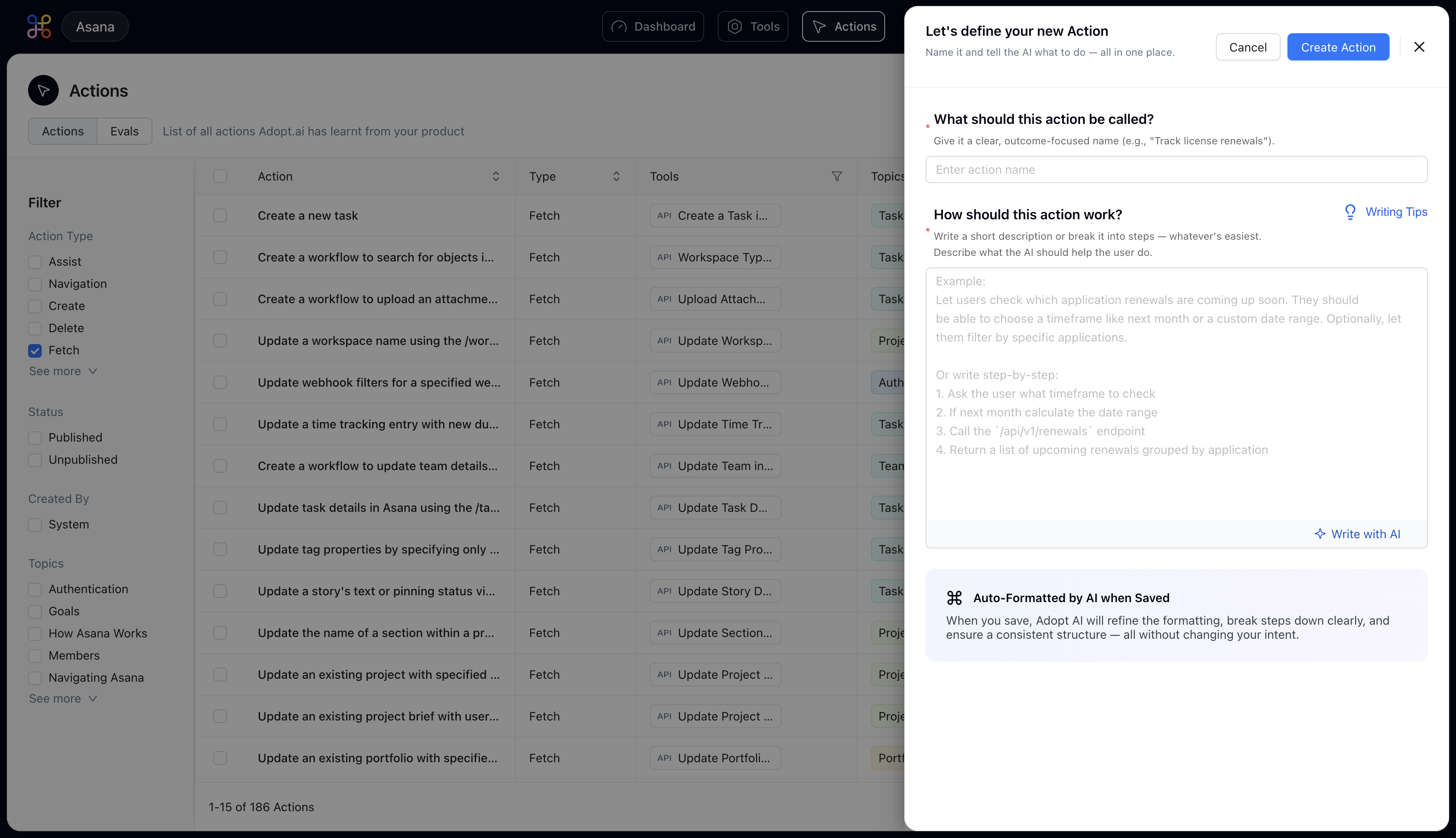
Naming Your Action
Give your action a name that clearly describes what it accomplishes. Start with a verb—Track, Get, Update, Generate, etc.—and be specific enough that someone reading the name immediately understands the purpose. Examples of Effective Nomenclature:- Track software license renewals
- Generate monthly sales report
- Update user permissions
- Create support ticket
- License stuff (too vague)
- Get data (what data?)
- Action 1 (not descriptive)
Describing What You Want
This is where the magic happens. You’re going to describe exactly what you want to accomplish, just as if you were explaining it to a colleague. The AI will read this description and build the entire workflow for you. You have two approaches: Approach 1: Natural Description Write a few sentences explaining the task:Subsequent Process
After clicking “Create Action,” the AI processes your request. Within approximately 10-15 seconds, the system will:- Analyze your description to understand the intent
- Identify which APIs or data sources are needed
- Break the task into discrete steps
- Assign the appropriate step types to each operation
- Generate the complete workflow logic
The action creation process is designed to handle both simple and complex workflows. Start with a clear description, and the AI will translate your intent into a functional workflow that you can test and refine.