

Finding Your Way Around
When you navigate to the Actions section of Adopt AI, you’ll see all the actions your team has created. This is your workspace for managing everything related to agent capabilities.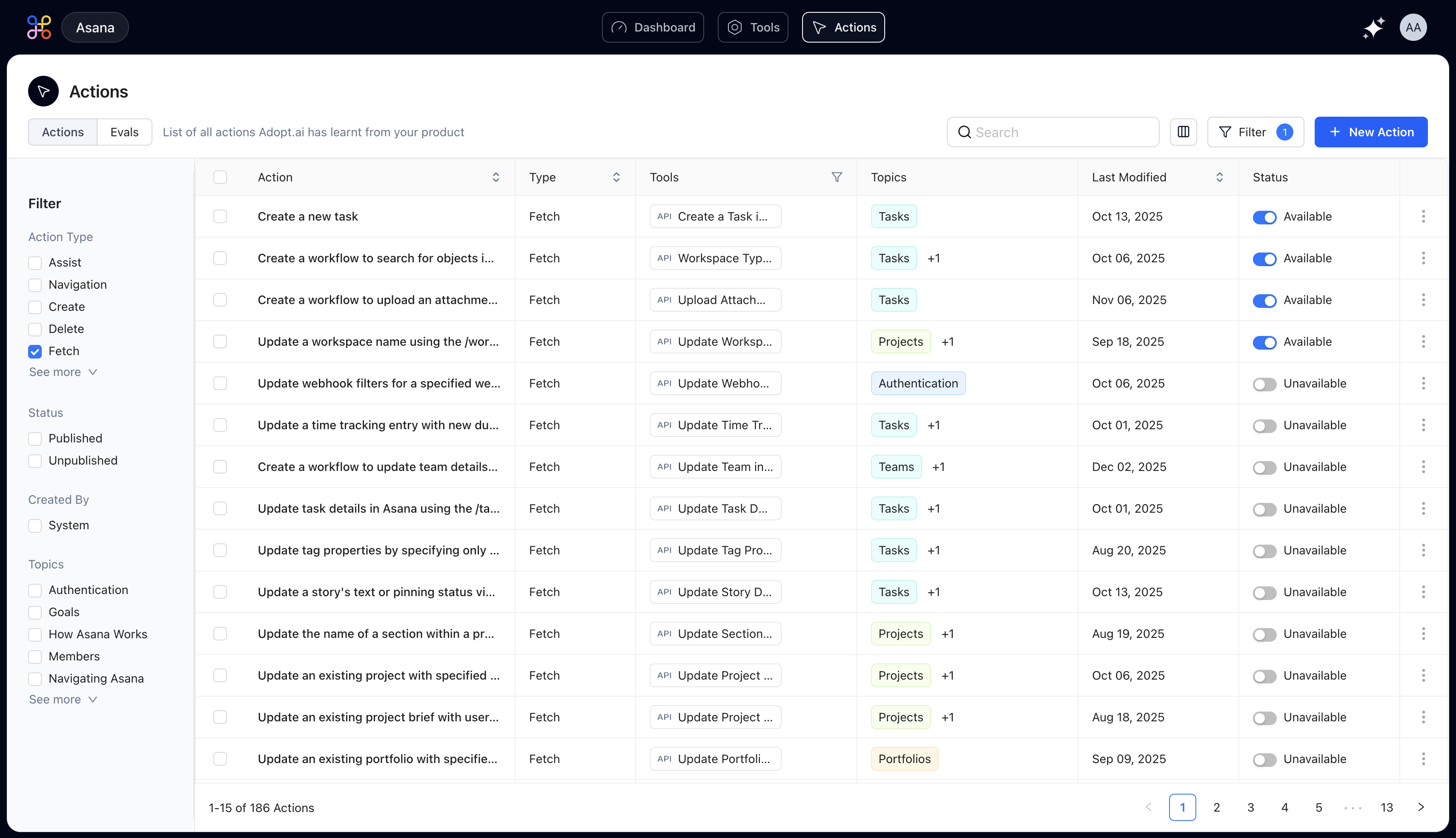
- Use the search bar when you know the action name you’re looking for
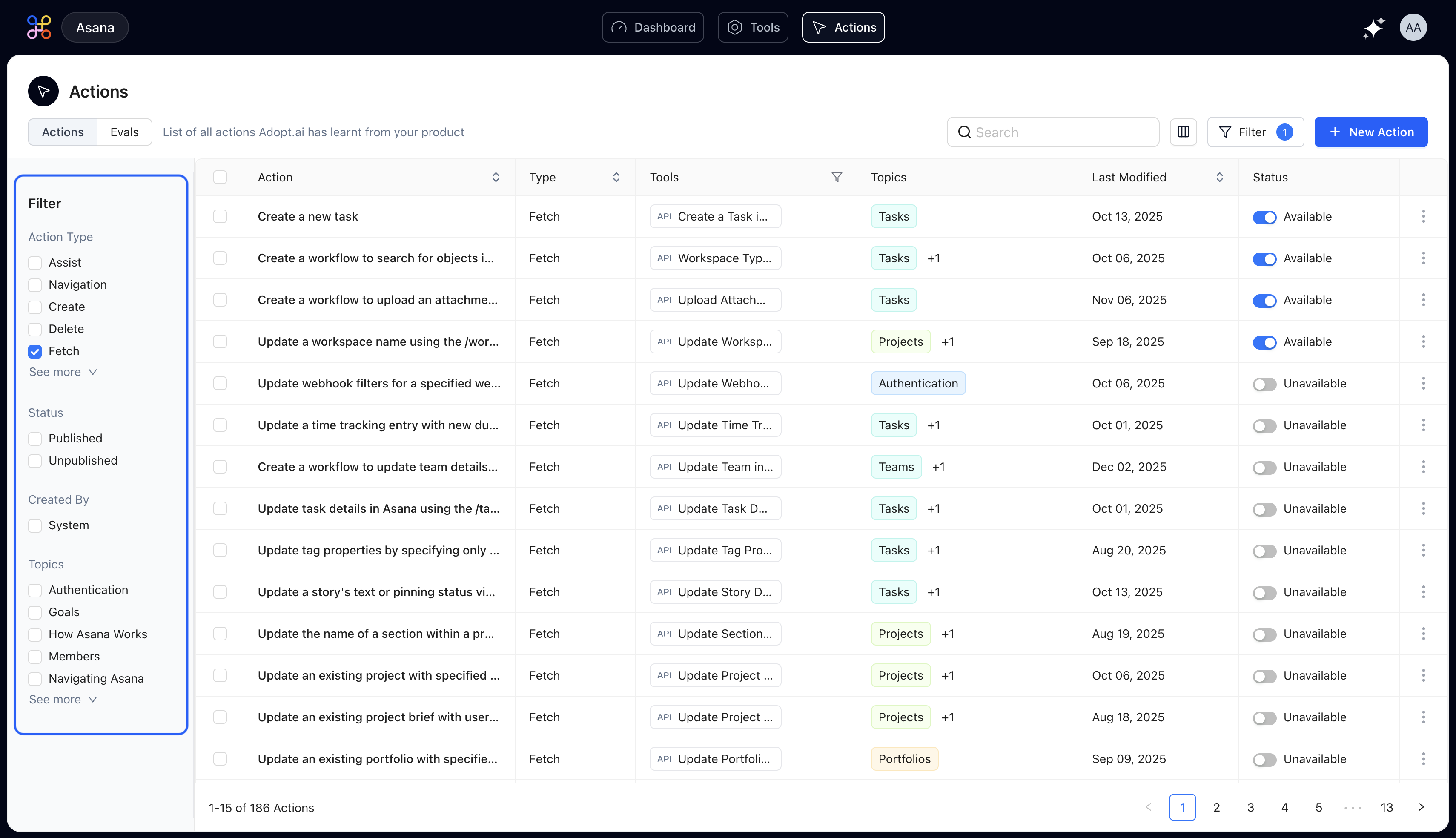
- Apply filters on the left to narrow down by type (Fetch, Create, Delete, etc.) or topic (Analytics, E-commerce, etc.)
- Toggle between Available and Unavailable to see which actions are currently active
- Sort by “Last Modified” to find recently updated actions
Understanding Action Types
Actions are automatically classified based on what they do:- Fetch Actions retrieve data from your systems—perfect for queries, reports, and lookups. For example, “Show me upcoming license renewals” or “Get customer order history.”
- Create Actions add new records or data. Use these when your agent needs to create tickets, add users, or generate new entries.
- Update Actions modify existing records. Great for changing permissions, updating statuses, or editing configurations.
- Delete Actions remove data. These typically require extra confirmation steps to prevent accidental deletions.
- Navigation Actions help users find information or move between different parts of your system.
- Assist Actions provide guidance, recommendations, or analyze data to help users make decisions.